How to Use Shopee Seller Centre Campaign Reports to Measure Incremental Revenue from Flash Deals Versus Organic Sales
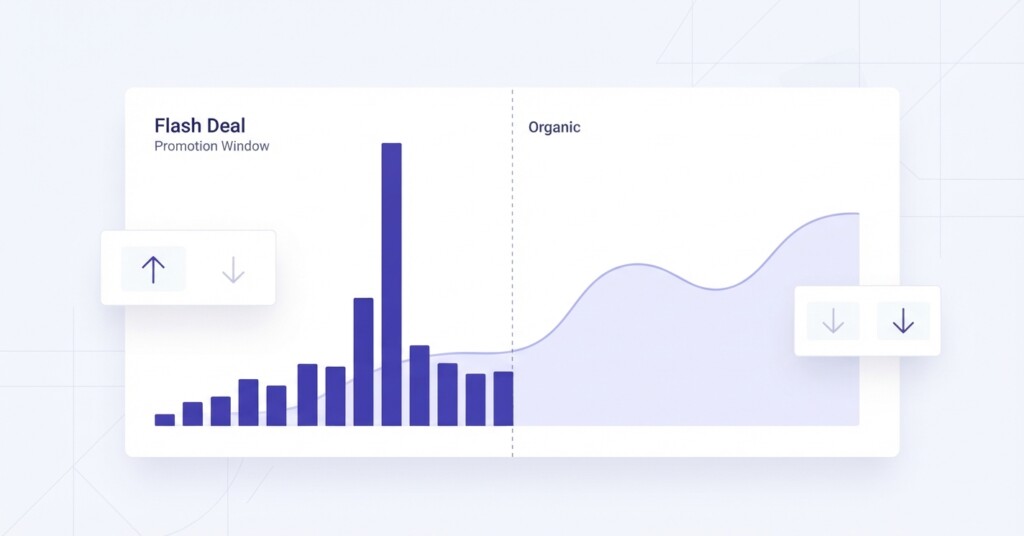
Running a Flash Deal on Shopee can feel like a win — orders spike, your shop climbs the category rankings, and revenue for the day looks impressive. But once the promotion ends and the voucher costs are reconciled, many sellers discover the picture is far less flattering. The real question is not whether Flash Deals generate sales volume. They almost always do. The question is how much of that volume is genuinely incremental — revenue you would not have earned without the campaign — versus sales that simply pulled forward demand from the following week or cannibalised your own organic performance.
This article walks through a practical methodology for using Shopee Seller Centre Campaign Reports to isolate incremental revenue from Flash Deals, compare it against your organic baseline, and make a clear-headed decision about whether your next campaign is worth running.
Why Incremental Revenue Measurement Matters More Than Gross Sales
Most sellers evaluate Flash Deals by looking at the total revenue generated during the campaign window. This is the wrong frame. A seller running a skincare set at 30% off for a four-hour Flash Deal might record $4,200 in campaign sales. But if their organic daily average was already $1,800, the true incremental lift is closer to $600 once you adjust for the compressed time window and the post-campaign dip that typically follows heavy promotional activity.
Incremental revenue is the net new revenue attributable to the campaign after accounting for the organic baseline. When you layer in voucher costs, Shopee commission on promoted items, and any additional fulfilment costs from the volume spike, many Flash Deals that look profitable at the gross level are actually margin-negative when measured correctly.
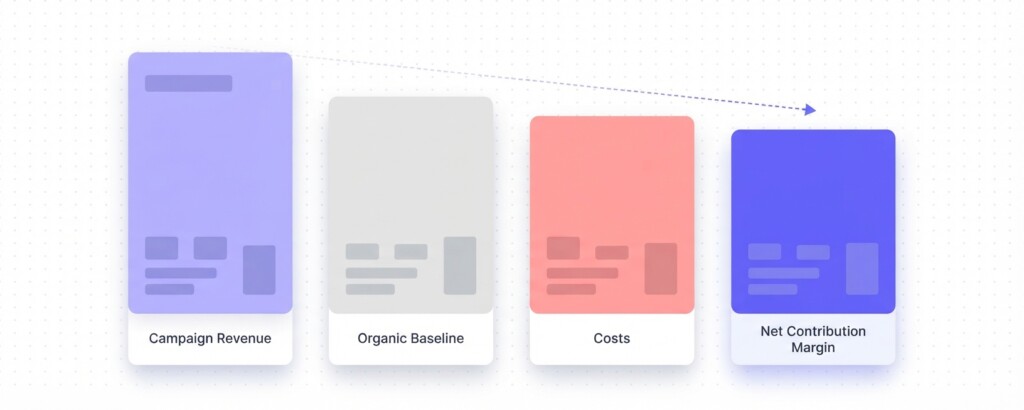
Incremental Revenue Formula: Campaign Revenue − Organic Baseline Revenue (for the equivalent period) = Gross Incremental Revenue. Subtract campaign voucher costs, additional platform fees, and any post-campaign revenue dip to arrive at Net Incremental Revenue.
Step One: Locate the Right Reports in Shopee Seller Centre
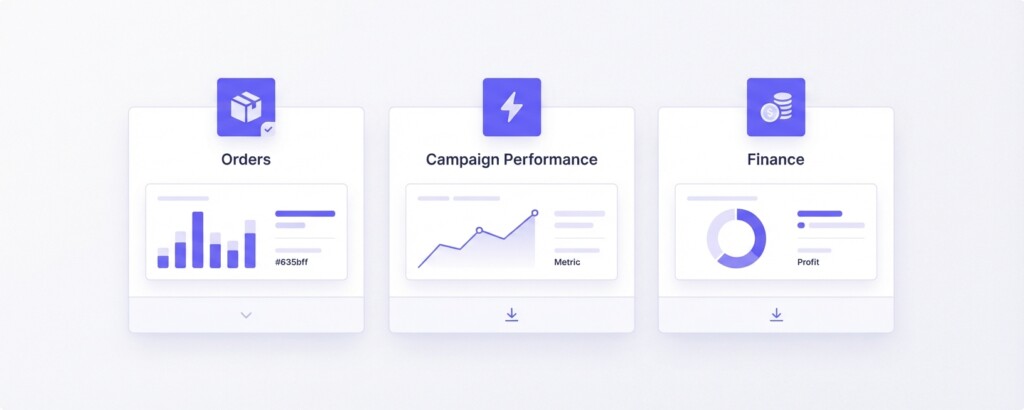
Shopee Seller Centre provides several data sources that, when used together, give you the inputs needed for a proper incremental analysis. Knowing which report to pull for each data point saves significant time and prevents you from mixing campaign-attributed and organic data incorrectly.
- Data → Business Insights → Marketing → My Shop’s Flash Deals (or Marketing Centre → Campaign for platform campaigns) → Export Data. This gives you units sold, attributed sales, and the promotion performance metrics.
- Order → My Orders → Export. Filter by order creation date for the campaign window. This exports all transaction-level orders, including non-campaign organic orders placed during the same timeframe.
- Order → My Orders → Export again, filtered for a pre-campaign baseline period of equal length — typically the same days of the week in the two to four weeks prior.
- Finance → My Income → Income Details (or Income Statements). Use this to reconcile actual payouts, commission deductions, transaction fees, and voucher cost-sharing amounts Shopee has offset against your settlement.
- Data → Business Insights → Traffic. This helps you understand whether traffic during the Flash Deal came from campaign placements or from your existing organic search and shop visitor baseline.
Step Two: Build Your Organic Baseline
Your organic baseline is the revenue you would expect to earn during the campaign window if no Flash Deal had run. The cleanest way to build this is to take the same day-of-week, same time-of-day window from the two weeks preceding the campaign and calculate the average revenue for those hours.
For example, suppose your Flash Deal ran on a Saturday between 12:00 PM and 4:00 PM. Pull your exported order data from My Orders for the two Saturdays prior and calculate average revenue from noon to 4 PM. If those two Saturdays averaged $380 in that window, your four-hour organic baseline is $380.
A more sophisticated baseline also accounts for post-campaign suppression — the dip in organic sales in the days following a heavy promotion as demand is temporarily exhausted. If your organic daily sales for the promoted product drop by $90 a day for three days after the Flash Deal, that $270 suppression should be counted as a cost of the campaign when calculating net incremental revenue.
Do not use the same week’s revenue as your baseline if the Flash Deal generated significant traffic halo effects on adjacent listings. Campaign traffic often inflates your non-promoted product views, making the comparison period appear artificially higher. Always use pre-campaign data, not concurrent data from non-promoted SKUs.
Step Three: Reconcile Campaign Costs from the Finance Report
Gross Incremental Revenue is only half the picture. You need to subtract all incremental costs associated with the Flash Deal to understand whether it actually improved your contribution margin.
The key cost categories to extract from your Finance My Income reports and Marketing data exports are: the seller-funded portion of any voucher or discount offered, additional Shopee transaction fees and commission charged on promoted items, and any above-baseline fulfilment or packaging costs caused by the volume spike.
| Cost Category | How to Find It | Example Amount |
|---|---|---|
| Seller-funded discount (Flash Deal price reduction) | Business Insights → Marketing export → Discount column | $620 |
| Shopee commission on campaign orders | Finance → My Income → Income Details | $210 |
| Seller-funded vouchers redeemed on campaign orders | Finance → My Income → Income Details | $95 |
| Incremental fulfilment costs (above baseline volume) | Your own records or 3PL invoice | $80 |
| Post-campaign revenue suppression (3-day dip) | My Orders export comparison | $270 |
| Total incremental campaign costs | $1,275 |
Step Four: Calculate Net Incremental Revenue and Contribution Margin
With your gross incremental revenue figure and total campaign costs identified, you can now calculate whether the Flash Deal improved or damaged your contribution margin. The following example uses realistic figures for a mid-size Shopee seller running a Flash Deal on a fast-moving consumer goods product.
| Total campaign window revenue (from Campaign Report) | $4,200 |
| Less: Organic baseline revenue for equivalent period | −$380 |
| Gross Incremental Revenue | $3,820 |
| Less: Seller-funded discounts and vouchers | −$715 |
| Less: Shopee commission on campaign orders | −$210 |
| Less: Incremental fulfilment costs | −$80 |
| Less: Post-campaign revenue suppression (3-day dip estimate) | −$270 |
| Net Incremental Revenue | $2,545 |
| Product COGS on incremental units (at 45% of gross) | −$1,719 |
| Net Incremental Contribution Margin | $826 |
In this scenario, the Flash Deal generated $826 in net incremental contribution margin — a positive result, but far more modest than the headline $4,200 campaign revenue figure suggests. Had the seller also offered a stacked platform voucher and a free gift with purchase, the campaign would likely have been contribution-margin negative.
Step Five: Compare Flash Deal Performance Against Organic and Paid Search Baselines
Once you have a clean incremental revenue figure, the next question is whether a Flash Deal is the most efficient way to grow revenue compared with your alternatives. For Shopee sellers, the main alternatives are Shopee Ads (search and discovery placements) and organic ranking improvement through keyword optimisation and review velocity.
A straightforward comparison table across your recent campaigns helps clarify which promotional mechanism delivers the best return on promotional spend. Use contribution margin per dollar of promotional spend as your primary metric, not ROAS calculated on gross revenue.
| Campaign Type | Promotional Spend | Net Incremental Revenue | Incr. Contribution Margin | Margin per $1 Spent |
|---|---|---|---|---|
| Flash Deal (4-hour) | $715 | $2,545 | $826 | $1.16 |
| Shopee Search Ads (7-day) | $420 | $3,100 | $1,488 | $3.54 |
| Shopee Voucher Campaign (weekend) | $550 | $1,980 | $612 | $1.11 |
| Organic (no spend, baseline week) | $0 | $12,600 | $5,670 | N/A |
In this comparison, Shopee Search Ads significantly outperform Flash Deals on margin per dollar of promotional spend. This does not mean Flash Deals have no role — they serve a specific function in clearing aged inventory, boosting shop velocity metrics, and triggering Shopee algorithm signals that can improve organic ranking. But if pure contribution margin improvement is the goal, search ads are likely the better allocation.
When Flash Deals Are Genuinely Worth Running
Flash Deals make commercial sense in specific scenarios. Understanding these scenarios prevents you from running campaigns reflexively rather than strategically.
- Aged inventory clearance: If stock has been sitting for 60+ days and carrying costs are accruing, a margin-thin Flash Deal that clears the warehouse can still be the right financial decision when you account for storage and write-down risk.
- New product launch velocity: A single Flash Deal can accelerate the reviews and sales velocity that Shopee’s algorithm uses to determine organic ranking. The short-term margin cost may be justified if the organic ranking improvement sustains higher-margin sales for months.
- Competitive response: If a direct competitor is running a Flash Deal on a comparable product, a defensive campaign protects market share even if the margin is thin.
- Cross-sell volume generation: Flash Deals that drive traffic to your shop — where buyers then add non-discounted products to their cart — can produce net positive margins when you count the full basket value, not just the promoted SKU.
Multi-Channel Context: How Shopee Flash Deals Interact with Other Channels
If you are selling the same products across Shopee, Lazada, TikTok Shop, and your own Shopify store, a Flash Deal on Shopee does not exist in isolation. Heavy discounting on Shopee creates price reference points that affect buyer expectations on other channels. A buyer who purchases from your Shopify store at full price the week after seeing your Shopee Flash Deal price may feel they overpaid — or worse, they may wait for your next Shopee promotion rather than buying at full price from your owned channel.
This channel interaction effect is difficult to quantify in Shopee’s reports alone. Multi-channel sellers should track their Shopify revenue trend during and after Shopee Flash Deal periods. A consistent pattern of Shopify revenue dipping during Shopee campaigns is a strong indicator that the campaigns are cannibalising your highest-margin channel rather than growing your total customer base.
For multi-channel sellers using a tool like BrizoMarket, you can view revenue, margin and promotional cost data across Shopee, Lazada, TikTok Shop and Shopify in a single dashboard — which makes the channel interaction effect visible rather than buried in separate platform reports.
Practical Checklist: Before You Approve Your Next Shopee Flash Deal
- Pull your exported order data from My Orders for the same time window over the prior two weeks to establish your organic baseline revenue.
- Calculate gross incremental revenue by subtracting the baseline from projected campaign revenue.
- Identify all seller-funded costs: discounts, vouchers, and any platform fees above your standard commission rate.
- Estimate post-campaign suppression based on your historical post-Flash-Deal dip (pull data from your last two campaigns).
- Calculate net incremental contribution margin using your standard COGS percentage.
- Compare the contribution margin per dollar of spend against your Shopee Ads performance for the same period.
- Check whether the same SKU is listed on Lazada, TikTok Shop or Shopify and flag any price parity concerns.
- Define a non-financial objective for the campaign — ranking improvement, review velocity, or inventory clearance — if the margin case is marginal.
- Set a post-campaign review date to capture the actual order data from My Orders and reconcile your pre-campaign estimate against actual results.
Key Takeaway
Shopee Seller Centre Campaign Reports give you the raw data to move beyond headline GMV and make a disciplined assessment of whether your Flash Deals are generating genuine incremental value. The methodology is straightforward: establish an organic baseline, subtract all campaign costs, estimate post-campaign suppression, and measure contribution margin rather than gross revenue. Sellers who run this analysis consistently find that one or two Flash Deal formats perform well for their business model — and several others do not. Knowing the difference is worth significantly more than any single campaign result.
Measure Flash Deal Incrementality Across All Your Channels
If you are managing promotions across Shopee, Lazada, TikTok Shop and Shopify, getting a unified view of campaign performance and contribution margin is essential. BrizoMarket helps multi-channel e-commerce businesses connect their platform data and understand true profitability — not just gross sales.