How to Read TikTok Shop Seller Centre Reports to Spot Your Best and Worst Performing SKUs

TikTok Shop has grown into a serious revenue channel for many e-commerce businesses, but the Seller Centre reporting suite remains one of the most underused tools available to operators. Most sellers glance at total sales and move on. The businesses that consistently improve their margins are the ones who dig into SKU-level data, understand what the numbers actually mean, and act on the signals hidden inside those reports.
This article walks you through the key reports available in TikTok Shop Seller Centre, explains what each metric tells you about product performance, and shows you how to identify which SKUs are driving real profit — and which ones are quietly destroying it.
Why SKU-Level Analysis Matters on TikTok Shop
When you operate across multiple channels — Shopify, Shopee, Lazada and TikTok Shop simultaneously — it is tempting to look at blended revenue figures and assume the business is healthy. But a strong total revenue number can mask serious problems at the product level. A single high-volume SKU with thin margins and a high return rate can consume your fulfilment capacity while contributing almost nothing to profit.
TikTok Shop in particular has dynamics that make SKU-level analysis essential. Creator affiliate commissions, platform fees, flash sale discounts and free shipping subsidies all apply differently depending on the product, the campaign and the creator involved. A SKU that looks profitable before these deductions can easily become loss-making once you account for all the channel-specific costs.
Finding Your Way Around Seller Centre Reports
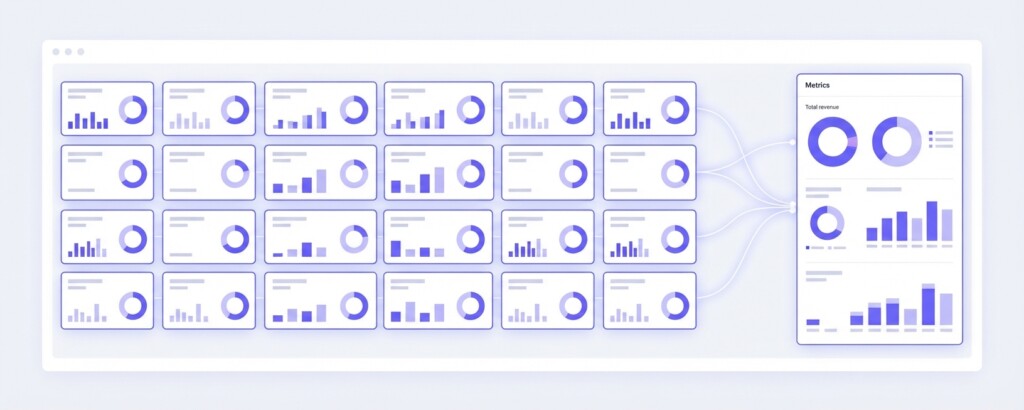
TikTok Shop Seller Centre organises its analytics under the ‘Analytics’ (or ‘Data Compass’) section in the main navigation. The primary areas relevant to SKU performance analysis are:
- Shop Analytics / Data Overview — your top-line sales, orders and traffic metrics for a selected date range
- Product Analytics — SKU-level breakdown of views, conversion rate, units sold, revenue and returns
- Order Management exports — downloadable order data including fees, refunds and affiliate commissions
- Campaign Reports — performance data tied to specific promotions, flash sales and affiliate campaigns
- Finance Centre — settlement statements showing actual payouts after all platform deductions
Most operators only look at Data Overview. The real insight lives in Product Analytics and Finance Centre, used together. Neither report alone gives you the complete picture.
Reading the Product Analysis Report
Navigate to Analytics (or Data Compass) → Product Analytics. Set your date range to at least 30 days — shorter windows produce noisy data that leads to poor decisions. Export the data to a spreadsheet so you can sort and filter it properly.
The key columns to focus on are: Product Views, Click-Through Rate (CTR), Conversion Rate (CVR), Units Sold, Gross Merchandise Value (GMV), Average Order Value (AOV) and Return Rate. Here is how to read each of them in combination rather than in isolation.
| Metric | What It Tells You | Warning Signal |
|---|---|---|
| Product Views | How much traffic your listing is receiving from organic and paid sources | High views with low CVR suggests a pricing, creative or listing quality problem |
| CTR | The share of impressions that result in a product page click | Low CTR on a high-spend SKU means your thumbnail or title is underperforming |
| Conversion Rate (CVR) | Percentage of product page visitors who complete a purchase | CVR below 1% on a promoted SKU is a margin risk — you are paying for traffic that does not convert |
| Units Sold | Volume moved in the selected period | High units with low AOV may indicate over-reliance on discounts to drive volume |
| GMV | Total sales value before platform fees, returns and commissions | GMV is not revenue — treat it as a starting point, not a result |
| Return Rate | Percentage of units sold that were subsequently returned | Return rates above 5% significantly erode contribution margin on TikTok Shop |
GMV is not the same as revenue, and revenue is not the same as profit. Always trace a SKU from GMV through to net settlement before drawing conclusions about its performance. Many sellers celebrate high GMV SKUs that are actually loss-making after fees, commissions and returns.
Calculating True SKU Profitability on TikTok Shop
To understand whether a SKU is actually profitable on TikTok Shop, you need to build a contribution margin calculation for each product. This requires pulling data from both the Product Analytics report and the Finance Centre settlement statement.
Here is a worked example using a skincare brand selling a serum on TikTok Shop at a retail price of RM 89.00, with 500 units sold in a month.
| Gross Sales (500 units × RM 89.00) | RM 44,500.00 |
| Less: Returns (4% return rate = 20 units × RM 89.00) | – RM 1,780.00 |
| Less: Platform Commission Fee (2%) | – RM 854.40 |
| Less: Transaction / Payment Processing Fee (1%) | – RM 427.20 |
| Less: Affiliate Creator Commission (8% of net sales) | – RM 3,417.60 |
| Less: Shipping Subsidy Contribution | – RM 500.00 |
| Net Revenue (actual settlement) | RM 37,520.80 |
| Less: Cost of Goods Sold (RM 28.00 per unit × 480 retained units) | – RM 13,440.00 |
| Gross Profit on TikTok Shop | RM 24,080.80 |
In this example the gross profit margin after channel deductions is approximately 64% on net revenue — which looks healthy. But if this SKU is also running paid advertising on TikTok, you would need to subtract that spend to arrive at contribution margin. A RM 5,000 ad spend on this SKU would reduce the contribution margin to RM 19,080.80, or roughly 51% of net revenue. That is still profitable, but it changes the ranking of this SKU relative to others in your range.
Spotting Your Worst Performing SKUs
Poor-performing SKUs on TikTok Shop tend to fall into three categories, each with different implications for how you respond.
The first category is high-volume, low-margin SKUs. These are products with strong GMV numbers that look impressive in your Data Overview but collapse once you calculate true contribution margin. They are often products that have been discounted heavily during flash sales or promotions, or products with high affiliate commissions because they were used to recruit creators to the shop. If your SKU analysis shows GMV of RM 50,000 but a net contribution margin of under 15%, this SKU is consuming operational resources without adequate return.
The second category is high-return SKUs. A product with a 10–15% return rate on TikTok Shop is almost certainly loss-making once you account for the logistics cost of forward and reverse shipping, non-refundable platform administrative fees, and restocking overhead (even though creator commissions on fully returned orders are clawed back). Filter your Product Analytics export by return rate descending and investigate any SKU above 5%.
The third category is dead traffic SKUs — products that receive views and clicks but convert very poorly. These SKUs waste your shop credibility score and may be consuming affiliate resources if creators are promoting them. A SKU with 10,000 views, 800 product page visits and 12 sales has a 1.5% CVR. That might be acceptable for a high-ticket item, but for a RM 35 accessory it signals a fundamental problem with either pricing, product quality or listing presentation.
Do not make product delisting or pricing decisions based on a single week of TikTok Shop data. Viral traffic spikes and creator-driven surges can make a SKU look artificially strong or weak during short periods. Always analyse at least 30 days and cross-reference with your Finance Centre settlement data before drawing conclusions.
Comparing SKU Performance Across Channels
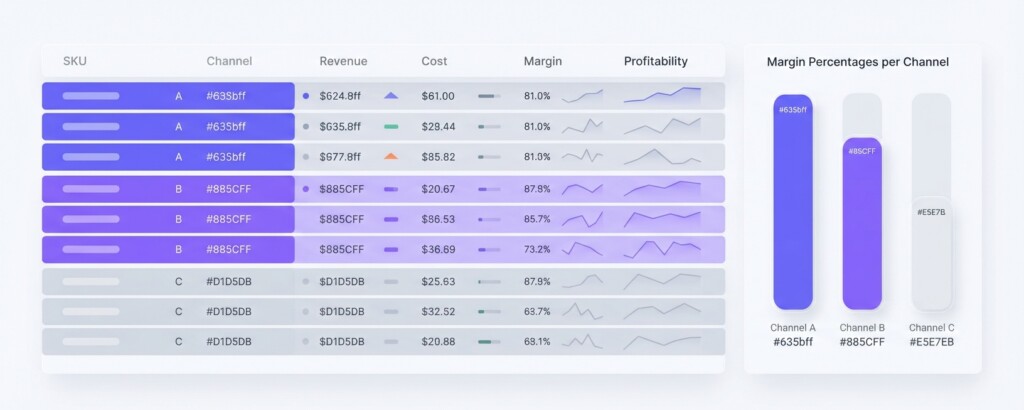
If you sell the same SKU on Shopify, Shopee and TikTok Shop simultaneously, the channel-level margin comparison is one of the most valuable analyses you can run. The same product can have dramatically different effective margins across channels due to different fee structures, commission rates, advertising costs and customer behaviour.
| Channel | Retail Price | Platform Fee | Affiliate / Creator Cost | Avg Return Rate | Est. Net Margin |
|---|---|---|---|---|---|
| Shopify (DTC) | RM 89.00 | 2.0% (payment) | None | 2% | ~58% |
| Shopee | RM 89.00 | 5.5% | None | 3% | ~48% |
| Lazada | RM 89.00 | 6.0% | None | 4% | ~46% |
| TikTok Shop | RM 89.00 | 3.0% | 8% affiliate | 5% | ~41% |
This comparison illustrates a common finding: TikTok Shop often has lower platform fees than Shopee or Lazada, but affiliate commission costs and higher return rates frequently erode that advantage. The channel that delivers the highest volume is not always the channel delivering the highest margin. Knowing this per SKU allows you to make intelligent decisions about where to invest your promotional budget, which channels to prioritise for specific products, and where to price differently.
Using Finance Centre Settlement Statements for Accurate Cost Recovery
The Finance Centre in TikTok Shop Seller Centre is where you find your actual settlement records — what TikTok transferred to your account after all deductions. Download your monthly settlement statement and reconcile it against your product-level GMV data.
Key line items to track in your settlement include: platform commission, transaction fees, shipping fee absorbed by the seller, promotional discounts subsidised by you (not by TikTok), and return-related deductions. Many operators are surprised to discover that the gap between GMV and settled amount is 15–25% or more when affiliate campaigns are active.
Once you have your total settled amount for the month, divide it across your SKUs using the unit-level breakdown from Product Analytics. This gives you a channel-adjusted net revenue per SKU, which you can then subtract COGS from to arrive at gross profit per unit at the channel level.
Building a Simple SKU Performance Scorecard
Rather than evaluating SKUs on a single metric, build a simple scoring framework that ranks each SKU across four dimensions: revenue contribution, contribution margin percentage, return rate and conversion rate. Assign a score of 1 to 3 for each dimension, then sum the scores to get a composite SKU health score.
- Score 3 for Revenue Contribution if the SKU is in the top 20% of GMV for the period
- Score 3 for Contribution Margin if net margin after all fees and COGS exceeds 40%
- Score 3 for Return Rate if the SKU return rate is below 3%
- Score 3 for Conversion Rate if CVR is above 3% for products under RM 150
- Sum the scores: 10–12 = strong SKU, 6–9 = review needed, below 6 = urgent action required
Run this scorecard monthly. SKUs that score consistently below 6 should be reviewed for price adjustment, listing optimisation, de-listing from TikTok Shop specifically, or replacement with a revised product variant. SKUs scoring 10 or above should receive priority inventory allocation, dedicated creator briefs and campaign budget.
How BrizoMarket Can Help With Multi-Channel SKU Analysis
Pulling data manually from TikTok Shop Seller Centre, Shopee Seller Centre, Lazada Seller Centre and Shopify simultaneously is time-consuming and error-prone. BrizoMarket is built specifically for multi-channel e-commerce operators who need to see SKU-level profitability across all their channels in one place — with actual margin calculations applied, not just GMV comparisons. If you are running analysis across three or more channels and finding the manual reconciliation is taking more than a few hours each month, it is worth exploring tools designed for that workflow.
Practical Next Steps
Start this week by exporting your last 30 days of TikTok Shop Product Analytics data and your most recent Finance Centre settlement statement. Build a simple spreadsheet that maps GMV to settled revenue per SKU, subtracts COGS, and calculates contribution margin. Sort by contribution margin percentage descending. The products at the bottom of that list are where your attention should go first — not your highest-volume products, and not your newest launches.
SKU analysis done rigorously once a month gives you more actionable intelligence than any amount of dashboard monitoring. The sellers who grow profitably on TikTok Shop are not simply the ones with the most creator partnerships or the biggest flash sale discounts. They are the ones who know precisely which products are making them money and which are not — and who act on that knowledge consistently.
Analyse Your TikTok Shop SKUs Alongside Every Other Channel
BrizoMarket helps multi-channel e-commerce operators track SKU-level profitability across TikTok Shop, Shopee, Lazada and Shopify in one place — with real margin calculations, not just GMV.