How to Read Lazada Seller Centre Sales Reports to Identify Your Best and Worst Performing SKUs

If you sell across multiple channels — Shopee, Shopify, TikTok Shop and Lazada — it is easy to treat Lazada as one blended revenue number and move on. But inside Lazada Seller Centre sits a set of performance and financial reports that, when read correctly, will tell you exactly which SKUs are carrying your store and which ones are quietly destroying your margins. This guide walks through how to extract, interpret and act on that data.
Where to Find the Right Reports in Lazada Seller Centre
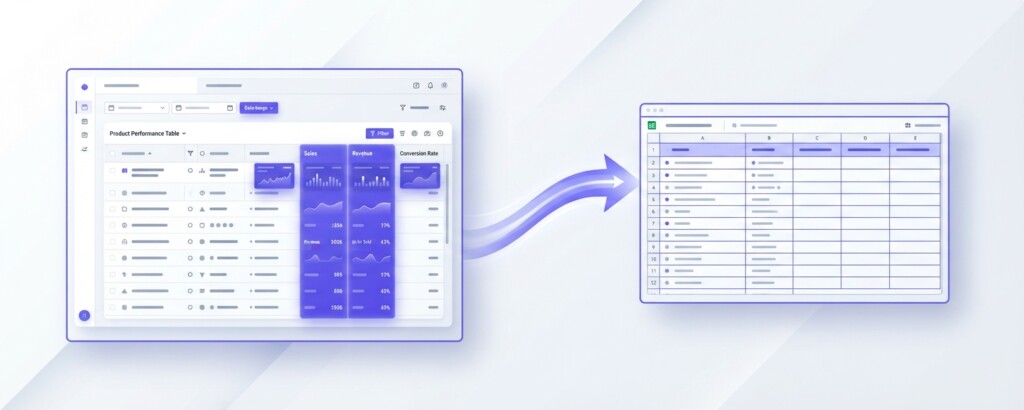
Lazada Seller Centre organises its analytics under Business Advisor (located in the main sidebar navigation, often under the ‘Data Insight’ section). The primary module for SKU-level traffic and sales analysis is the Product Performance section within Business Advisor. This view provides product-level metrics — product visitors, page views, units sold, revenue and conversion rate. To capture transaction-level deductions, customer returns and net payouts, you will also need the settlement reports under Finance → Account Statement or Transaction Details.
To begin a proper SKU review, navigate to Business Advisor → Product → Performance, set your date range to at least the last 90 days (compiling monthly periods if necessary, as a full quarter gives you enough volume to distinguish trends from noise), and export the data. Next, export your transaction and return details from the Finance module for the same period. Merging both datasets in a spreadsheet gives you the complete picture of traffic, conversions and actual margin.
Evaluate at least 90 days of data before drawing conclusions about SKU performance. Shorter windows are distorted by flash sales, restocking gaps and algorithm fluctuations that have nothing to do with underlying product quality.
The Key Columns You Actually Need
Lazada’s export files contain more columns than most sellers ever use. The following table shows the columns that matter most for SKU-level profitability analysis, what they measure and how to use them.
| Column / Field | What It Measures | How to Use It |
|---|---|---|
| SKU ID / Item Name | Unique product identifier | Use as your merge key across both performance and finance reports |
| Units Sold | Quantity sold net of buyer cancellations | Volume indicator; rank SKUs by this first |
| GMV (Gross Merchandise Value) / Revenue | Total buyer-paid product revenue before platform deductions | Top-line revenue per SKU |
| Returned Units | Units refunded and returned (from Finance or Order reports) | Divide by Units Sold to get return rate |
| Net Revenue | GMV minus seller vouchers, platform fees and returns | More accurate revenue figure than GMV |
| Product Visitors | Unique shoppers who viewed the product listing | Visibility measure; low visitors indicate discoverability problems |
| Page Views | Total times the product detail page was viewed | Combined with visitors indicates listing interest and browsing depth |
| Conversion Rate (%) | Orders divided by unique product visitors | Reflects quality of the listing and price competitiveness |
Once you have these columns assembled, the analysis becomes structured rather than intuitive. You are looking for patterns across four performance quadrants.
The Four SKU Performance Quadrants
Rather than ranking SKUs by revenue alone — which rewards high-volume, low-margin products — a more useful framework maps each SKU across two axes: revenue contribution and conversion rate. This produces four distinct groups.
- High revenue, high conversion: These are your star SKUs. Protect them with sufficient stock, competitive pricing and strong sponsored placement.
- High revenue, low conversion: Strong demand exists but something is suppressing purchase — price, listing quality or competitor activity. These SKUs warrant immediate investigation.
- Low revenue, high conversion: Small but efficient. These SKUs may have an inventory or visibility constraint holding back growth. Consider increasing stock depth and running targeted ads.
- Low revenue, low conversion: The candidates for review. Some will be genuinely poor fits for the Lazada audience; others may be recoverable with listing improvements or price adjustments.
To apply this framework, calculate average conversion rate across your entire catalogue, then mark each SKU as above or below average. Do the same for net revenue. You now have a simple two-by-two that guides decision-making without requiring advanced analytics.
Adding the Profitability Layer
Sales reports show revenue, not profit. A SKU can be your highest-revenue product and still be unprofitable once you account for Lazada’s commission, fulfilment costs, packaging, returns and any seller-funded vouchers. This is the step most Lazada sellers skip — and it is why products that appear to be ‘bestsellers’ can quietly drain cash.
Here is a worked example using a hypothetical skincare brand selling across Lazada and Shopee. Consider their 200ml moisturiser SKU.
| Selling Price (buyer pays) | SGD 38.00 |
| Less: Lazada Commission (typically 4–8%; using 6%) | – SGD 2.28 |
| Less: Payment Processing Fee (~2%) | – SGD 0.76 |
| Less: Seller-funded voucher discount | – SGD 1.90 |
| Net Revenue Received from Lazada | SGD 33.06 |
| Less: Cost of Goods (COGS) | – SGD 14.00 |
| Less: Packing Materials | – SGD 0.80 |
| Less: Last-Mile Fulfilment (FBL or own warehouse) | – SGD 3.50 |
| Contribution Margin per Unit | SGD 14.76 |
That margin looks reasonable — about 39% of the selling price (or roughly 45% of net revenue received). But now run the same calculation for the same product after a major flash sale where you also funded a larger seller voucher. An additional SGD 6.60 in voucher deductions drops your net revenue, reducing contribution margin to approximately SGD 8.16 — under 25% of the original net revenue. Multiplied across hundreds of units in a campaign, that gap is material.
Lazada’s Business Advisor reports show GMV, not the net payout you actually receive after platform commissions, transaction fees and seller voucher costs. Always reconcile your performance data against your Lazada account statements or finance transaction details before drawing profitability conclusions. GMV can overstate real revenue by 15–30% depending on campaign activity.
Identifying Your Worst Performing SKUs — and What to Do About Them
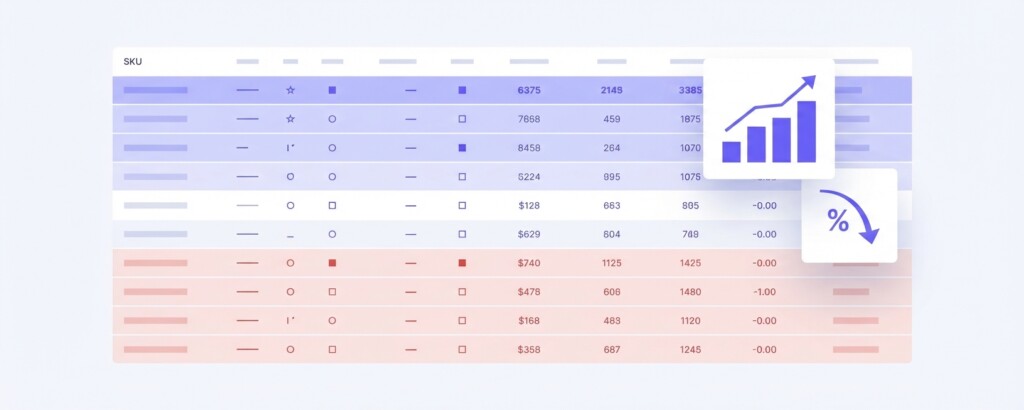
Once you have your SKU list with net revenue, return rates and estimated contribution margins, sort by return rate descending. Any SKU with a return rate above 5% needs separate investigation. High returns on Lazada often indicate a product description mismatch, size or shade inaccuracy, fragile packaging causing damage in transit, or a product that attracts price-sensitive buyers who regret the purchase.
Next, sort by contribution margin ascending. SKUs at the bottom of this list — particularly those with negative or near-zero contribution — should be reviewed against three questions: Can the selling price be increased without losing volume? Can COGS or fulfilment costs be reduced? Is the product genuinely suited to Lazada’s buyer profile, or would it perform better on a different channel?
That last question matters more than most sellers acknowledge. A premium supplement that converts poorly on Lazada — where price sensitivity is high — may perform significantly better on a Shopify direct-to-consumer store where buyers arrive with purchase intent already established. Channel fit is a legitimate reason to de-prioritise or remove a SKU from Lazada without necessarily discontinuing it entirely.
Cross-Channel Comparison: When Lazada Data Points to a Channel Problem
Multi-channel operators have an advantage that single-channel sellers do not: comparative data. If a SKU converts at 3.8% on your Shopify store, 2.1% on Shopee and only 0.6% on Lazada, the product itself is probably not the issue. The Lazada listing, pricing or audience targeting is the variable that needs attention.
Conversely, if the same SKU has a high return rate across all channels, the problem is the product — description accuracy, quality consistency or expectation-setting in your photography.
| Metric | Shopify | Shopee | Lazada | Interpretation |
|---|---|---|---|---|
| Conversion Rate | 3.8% | 2.1% | 0.6% | Lazada listing likely needs optimisation |
| Return Rate | 1.2% | 4.8% | 5.3% | Shopee and Lazada may have fulfilment or description issues |
| Avg Order Value | SGD 62 | SGD 41 | SGD 38 | Channel audience differs; pricing strategy may need adjustment |
| Gross Margin % | 52% | 38% | 31% | Lazada fees and vouchers compress margin significantly |
A table like this, built from your own reports, is one of the most useful tools a multi-channel operator can maintain. It surfaces where each channel over- and under-performs and helps allocate marketing spend, inventory depth and product development effort more rationally.
Building a Simple SKU Review Cadence
The analysis above is only useful if it is done regularly. A monthly SKU review cadence on Lazada does not need to be complex, but it should be consistent. The following checklist gives you a repeatable process.
- Export Product Performance from Business Advisor and transaction settlement reports from Finance for the past 30 to 90 days.
- Merge on SKU ID and add your COGS, packing and fulfilment cost columns from your internal records.
- Calculate contribution margin per unit for each SKU.
- Flag SKUs with return rate above 5% for qualitative review (read recent buyer reviews and check listing accuracy).
- Classify SKUs into the four performance quadrants using revenue and conversion rate.
- For ‘low revenue, low conversion’ SKUs with two consecutive months of poor results, decide: optimise, reprice, shift channel or discontinue on Lazada.
- For ‘high revenue, low conversion’ SKUs, review competitor pricing and listing content within 48 hours.
- Record decisions and outcomes to build institutional knowledge across review cycles.
When Manual Analysis Is No Longer Enough
If you are managing a catalogue of more than 50 SKUs across Lazada, Shopee and other channels simultaneously, manually merging CSV exports and calculating margins in spreadsheets becomes error-prone and time-consuming. The more channels you operate, the more the reconciliation problem compounds — different commission structures, different voucher mechanics, different return policies.
This is where a platform like BrizoMarket is designed to help. Rather than exporting and reconciling reports manually, BrizoMarket connects to your sales channels and surfaces SKU-level profitability — including fees, COGS and channel costs — in a single view. For multi-channel operators who need to make fast decisions about where to invest and what to cut, having that data consolidated without manual work each month changes the quality of the decisions that get made.
The Takeaway
Lazada Seller Centre gives you more data than most sellers use. The key is moving beyond GMV as your primary metric and building a SKU-level view that includes net revenue, return rates, conversion rates and contribution margin. When you have that view, the difference between your best and worst performing products becomes clear — and so do the actions required to improve performance, cut losses and allocate inventory where it will earn the best return.
Start with a 90-day review, build your SKU performance table and run through the quadrant classification. Most Lazada sellers discover within the first analysis that 20% of their SKUs are generating over 80% of their profitable revenue — and that several products they assumed were performing well are, in reality, contributing very little after fees and returns are accounted for.
Stop Guessing Which SKUs Are Actually Profitable
BrizoMarket helps multi-channel ecommerce businesses track SKU-level profitability across Lazada, Shopee, TikTok Shop and Shopify — without manual spreadsheet reconciliation every month.