How to Read Shopee Seller Centre Reports to Spot Your Most and Least Profitable Listings
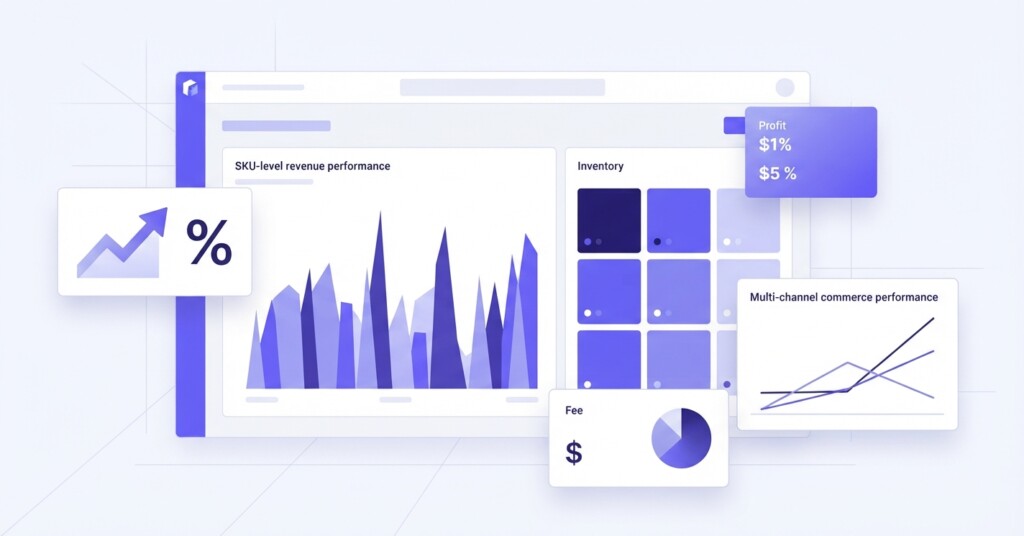
If you sell across multiple channels — Shopee, Lazada, Shopify, TikTok Shop — your Shopee Seller Centre dashboard holds more intelligence than most sellers ever extract from it. Most operators glance at their revenue figures, feel reasonably satisfied, and move on. But revenue tells you almost nothing about profitability. A listing generating $8,000 a month in sales could be eating margin faster than your top performer if the fee structure, discount strategy, or fulfilment cost is misaligned.
This article walks through exactly how to read Shopee Seller Centre reports to identify which listings are genuinely profitable and which are quietly draining your business — and what to do about it once you know.
Why Shopee Reports Are Underused
Shopee Seller Centre provides a surprisingly rich set of reports, but they require some assembly. Revenue, fees, vouchers, returns, and shipping data sit in different places, and the platform does not give you a ready-made gross profit view. This creates a gap between what sellers think their margins are and what the numbers actually show.
The sellers who close this gap — who pull the right data, build a simple margin model per SKU, and revisit it monthly — consistently make better decisions about which products to promote, which to reprice, and which to retire.
Step 1 — Start With the Sales Report, Not the Dashboard Summary
The Shopee dashboard summary shows aggregate figures: total orders, total revenue, and average order value. These are useful for direction, not decisions. The real analysis starts inside ‘Business Insights’ and the ‘Finance’ section.
Navigate to Business Insights → Product Performance. Export the data to a spreadsheet covering the last 30 or 90 days. You need at minimum these columns per SKU:
- Product name and variation
- Units sold
- Gross merchandise value (GMV)
- Seller vouchers applied
- Shopee coins rebates (if you participate)
- Returns and refunds
- Net revenue (GMV minus deductions)
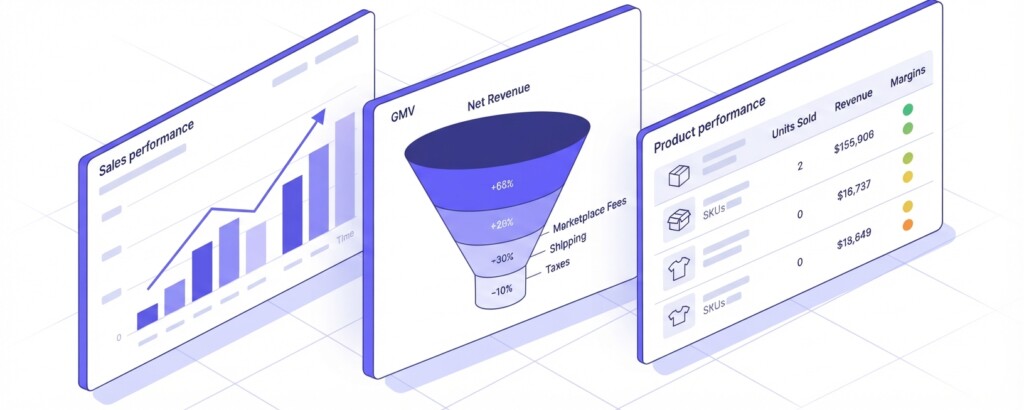
GMV is the headline number. Net revenue — after vouchers, coins, and returns — is the number you actually need to work with. For a product with $3,200 GMV over 30 days, your net might look like this:
| Gross Merchandise Value | $3,200.00 |
| Less: Seller Vouchers Issued | -$480.00 |
| Less: Shopee Coins Rebate Contribution | -$96.00 |
| Less: Returns and Refunds | -$210.00 |
| Net Revenue | $2,414.00 |
That is a 24.6% reduction before you have touched a single cost. Sellers who plan their margins against GMV rather than net revenue routinely discover their margins are far thinner than expected.
Step 2 — Extract Your Fee Data From the Finance Reports
Go to Finance → My Income and download your seller statements. Shopee charges a commission fee (which varies by category), a transaction fee, and where applicable, a service fee. These are deducted before Shopee transfers your payout, so they are easy to overlook if you only look at the bank deposit.
Build a per-SKU fee estimate using the commission rate for your category. If your category charges 2.5% commission plus a 2% transaction fee, that is 4.5% of selling price per order in platform costs alone. On a $30 product, that is $1.35 per unit — not significant individually, but at 200 units a month, it is $270 per SKU that needs to be in your margin model.
Practical tip: Shopee’s fee structure varies by category, promotion participation, and seller tier. Always verify your actual fee rates inside Finance → My Income (under Income Details or My Tax Invoices) rather than using published rate cards, which may not reflect your specific arrangements.
Step 3 — Build a Simple Per-SKU Profitability Table
Once you have net revenue and platform fees per product, add your cost of goods and fulfilment cost. This gives you contribution margin per SKU — the most useful profitability metric for channel-level analysis.
Here is a worked example comparing three listings on the same Shopee store, all with similar GMV:
| SKU | GMV | Net Revenue | COGS | Fulfilment Cost | Platform Fees | Contribution Margin | Margin % |
|---|---|---|---|---|---|---|---|
| Skincare Set A | $3,200 | $2,414 | $980 | $180 | $145 | $1,109 | 45.9% |
| Supplement Pack B | $3,100 | $2,325 | $1,400 | $220 | $140 | $565 | 24.3% |
| Home Tool Kit C | $3,050 | $2,440 | $2,184 | $310 | $138 | -$192 | -7.9% |
All three SKUs look comparable at the GMV level. At the contribution margin level, Skincare Set A is your engine, Supplement Pack B is acceptable, and Home Tool Kit C is actively destroying value. Without this table, you might be running Shopee Ads to push all three equally.

Step 4 — Layer in Advertising Costs
Shopee Ads data lives in a separate section: Marketing Centre → Shopee Ads. Export your ad spend by product over the same period you used for your sales data.
Add ad spend as a separate line in your profitability table. Many sellers discover that their ‘best-selling’ product is only top-selling because of heavy ad spend — and the profit evaporates when that spend is counted properly.
A clean metric to use here is Return on Ad Spend (ROAS): Net Revenue divided by Ad Spend. But ROAS alone can mislead. A listing with 8x ROAS on thin margins may be less profitable than a listing with 4x ROAS on healthy margins. Always check the contribution margin after ads, not just ROAS.
Do not use ROAS as your sole advertising performance metric on Shopee. A high ROAS on a low-margin product can still result in a negative contribution margin once all costs are counted. Always calculate contribution margin after ad spend before scaling any campaign.
Step 5 — Score and Segment Your Listings
Once you have your profitability table, score each listing across three dimensions: contribution margin percentage, sales volume, and trend direction (growing, flat, declining). This lets you segment your catalogue into four action categories:
- High margin, high volume — Protect and scale. These are your core products. Invest in ads, maintain stock levels, optimise listings.
- High margin, low volume — Grow strategically. These have strong unit economics. Run targeted campaigns to build volume.
- Low margin, high volume — Investigate and fix. Check whether price increases, supplier renegotiation, or fulfilment changes can improve the margin. If not, avoid scaling ad spend.
- Low margin, low volume — Cut or restructure. These listings consume operational attention for minimal return. Consider delisting, repricing significantly, or liquidating stock.
This framework applies directly to the Shopee context, but it translates across channels. If you also sell on Lazada, you can run the same exercise and compare which products perform better on which platform — sometimes a product with poor margins on Shopee has strong margins on Lazada due to different fee structures, lower ad competition, or different buyer behaviour.
Step 6 — Compare Shopee Against Your Other Channels
If you are running Shopify alongside Shopee, pull the equivalent data from Shopify’s Reports section. The cost structure is different — Shopify charges a monthly subscription and (for non-Shopify Payments users) transaction fees, but you avoid marketplace commission. For a $30 product, Shopify might cost you $1.50 in transaction fees versus $4.50 across Shopee’s commission and transaction fees. On 500 units per month, that is $1,500 per month in fee differential for a single SKU.
TikTok Shop has its own commission and fulfilment fee structure, and its performance is heavily tied to content and creator activity rather than search-based discovery. Products that sell well on Shopee due to keyword ranking may underperform on TikTok Shop if they are not visually demonstrable, and vice versa.
The goal of multi-channel analysis is not to find one ‘best’ channel but to understand which products belong on which channels and at what price point to protect margin across all of them.
Common Reporting Mistakes That Distort Your View
- Using GMV instead of net revenue as the basis for margin calculations.
- Treating seller-funded vouchers as a marketing expense separate from revenue — they reduce net revenue directly and should be modelled that way.
- Ignoring return rates at the SKU level. A 12% return rate on a high-volume product is a major profitability drag that aggregate reports hide.
- Calculating COGS only on product cost, ignoring inbound freight, quality inspection, or packaging where relevant.
- Not updating the model monthly. Fee structures, ad costs, and return rates shift, and a model built in January may be misleading by June.
These are not edge-case errors. They are standard mistakes in operator-level reporting, and they lead to systematically bad decisions about which products to promote and invest in.
Bringing It Together With a Monthly Review Routine
The most effective approach is a structured monthly review: pull the data from Shopee Seller Centre, update your per-SKU profitability table, flag any listings that have shifted category (a previously profitable SKU that has deteriorated), and make one or two concrete decisions — a price change, a listing pause, a budget reallocation.
If you manage a large catalogue across Shopee, Lazada, and Shopify simultaneously, doing this manually becomes time-consuming. Tools like BrizoMarket are designed specifically for multi-channel ecommerce operators who need consolidated profitability views across platforms — pulling order, fee, and cost data together so you can see margin by SKU and by channel without rebuilding a spreadsheet every month.
Key takeaway: Shopee Seller Centre gives you the ingredients for profitability analysis, but not the finished picture. The sellers who build a simple, consistent per-SKU margin model — and update it monthly — make systematically better decisions about pricing, promotion, and product mix than those who rely on GMV and gut feel.
Practical Next Steps
- Export your last 90 days of product performance data from Business Insights.
- Download your Finance statements for the same period to capture actual fee deductions.
- Build a per-SKU table with net revenue, COGS, fulfilment cost, platform fees, and ad spend.
- Calculate contribution margin percentage for every SKU.
- Segment your catalogue into the four action categories and make at least two concrete changes this month.
- If you sell on multiple channels, run the same exercise per channel and compare margin performance by platform.
Analyse Profitability Across All Your Sales Channels
BrizoMarket helps ecommerce operators consolidate sales, fees, and cost data from Shopee, Lazada, Shopify, and TikTok Shop into clear profitability reports — so you can stop guessing and start making margin-led decisions.