How to Use Shopify Analytics to Identify Which Traffic Sources Generate the Most Profitable Orders

Most Shopify store owners track revenue by traffic source. Fewer track profit by traffic source. That distinction matters enormously. A channel that drives high revenue but attracts discount-hunters, high-return customers, or low-margin product buyers can quietly destroy your profitability while looking impressive in a dashboard. This article walks through how to use Shopify Analytics — combined with a clear analytical framework — to identify which traffic sources are actually generating your most profitable orders, not just your most orders.
Why Revenue Per Channel Is the Wrong Starting Point
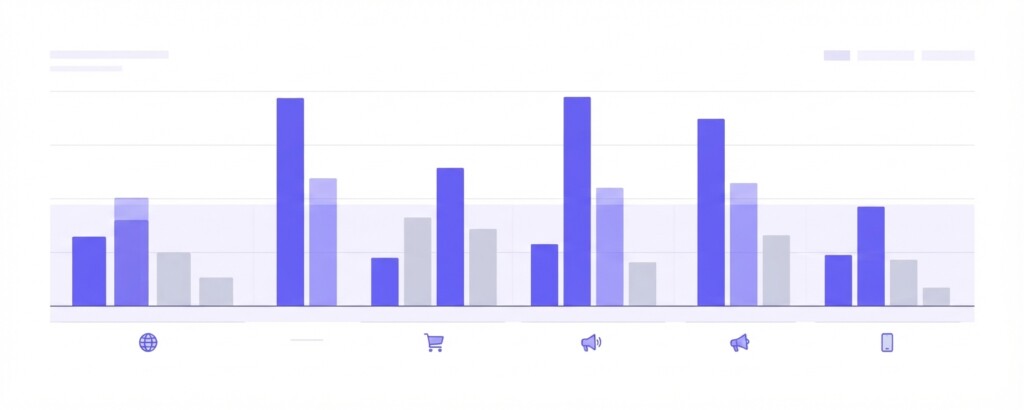
Shopify’s built-in analytics shows sessions, orders, and revenue broken down by traffic source — organic search, paid search, social, email, direct, and referral. This is useful, but revenue alone tells you nothing about whether a channel is worth the investment. Two channels can each generate $20,000 in monthly revenue with completely different profitability outcomes depending on the product mix sold, the discount rate applied, the return rate, and the cost to acquire each customer.
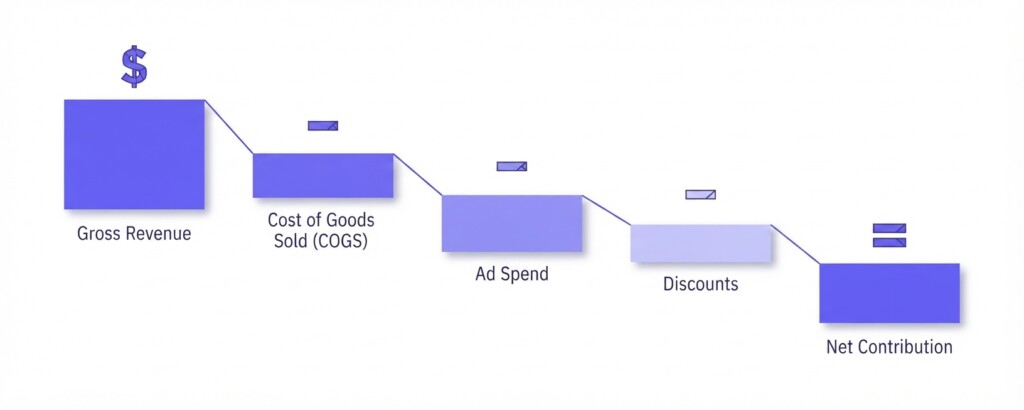
The correct starting point is contribution margin per channel — what each channel returns to the business after accounting for the cost of goods sold, channel-specific discounts, returns, and customer acquisition costs. Only then can you make sound decisions about where to scale spend and where to pull back.
Step 1 — Pull Your Traffic Source Report in Shopify
In Shopify Admin, navigate to Analytics > Reports > Sales by traffic referrer (or Total sales by referrer). This report breaks down orders, gross sales, discounts, returns, and net sales by source (to evaluate visitor traffic, pair this with the Sessions by referrer acquisition report). Export this to a spreadsheet and add a date range that gives you at least 60–90 days of data. Shorter windows produce misleading results due to campaign timing and seasonality.
The key columns to extract are: orders, gross sales, discounts, returns, net sales, and average order value (AOV). From here you will need to layer in data that this Shopify sales report does not calculate natively — cost of goods sold, external ad spend, and variable fulfilment costs.
Shopify’s ‘Sales by traffic referrer’ report attributes orders to the last known session source before checkout. If a customer clicked a Google Ad three days ago and returned via direct today, the order may be attributed to direct. Keep this in mind when interpreting paid channel performance — it often understates paid contribution.
Step 2 — Identify the Gross Margin of Each Channel’s Order Mix
Not every traffic source buys the same products. Paid social channels — particularly TikTok Shop and Meta ads — tend to drive purchases of viral, lower-priced items with promotional pricing. Email campaigns often sell to returning customers who buy higher-margin core products. Organic search attracts buyers who are actively searching for specific products, often at higher intent and with less reliance on discounts.
To capture this, cross-reference your sales by traffic referrer data with your product sales and margin data (or export line-item order data with referrer details). For each channel, calculate a blended gross margin percentage using the products actually sold through that source.
Example: Assume your store sells skincare products. Your organic search channel sells mainly your hero moisturiser at 68% gross margin. Your TikTok paid channel sells mainly a bundled promotional set at 44% gross margin due to the discount applied. Even if TikTok drives more revenue, the per-dollar profit contribution is significantly lower.
| Channel | Monthly Revenue | Blended Gross Margin % | Gross Profit | Ad Spend | Net Contribution |
|---|---|---|---|---|---|
| Organic Search | $18,400 | 68% | $12,512 | $0 | $12,512 |
| $11,200 | 71% | $7,952 | $420 | $7,532 | |
| Paid Search (Google) | $22,600 | 59% | $13,334 | $6,800 | $6,534 |
| TikTok Paid | $19,800 | 44% | $8,712 | $7,100 | $1,612 |
| Direct | $8,900 | 65% | $5,785 | $0 | $5,785 |
This table reframes the performance picture entirely. TikTok Paid generates the second-highest revenue but the lowest net contribution once ad spend is accounted for. Email, which generates less than half the revenue of TikTok, produces a net contribution nearly five times higher. Organic search — which costs nothing in media — is the highest-value channel by contribution.
Step 3 — Apply Return Rates and Discount Adjustments
While Shopify’s default sales reports break out Gross Sales, Net Sales, Discounts, and Returns, focusing solely on top-line gross revenue can distort channel health. Channels with higher return rates will have inflated gross figures. Always use Net Sales (gross sales minus discounts and returns) or cross-reference order-level refund data with your traffic sources and UTMs to evaluate each channel on retained revenue.
Similarly, if you apply channel-specific discount codes — a common practice on Shopify stores running Shopee or Lazada parallel promotions — those discount amounts need to be deducted from the revenue figure attributed to that channel. A 15% discount code used exclusively in a TikTok campaign reduces net revenue by 15% before you even calculate margin.
If you use the same discount code across multiple channels — for example, a seasonal sale code promoted via email, paid social, and organic posts — Shopify will attribute the orders to whichever source brought the last click, not the channel where the code was first seen. This distorts your channel profitability analysis. Use unique UTM parameters and channel-specific discount codes wherever possible.
Step 4 — Calculate ROAS and Contribution Margin Per Channel
For paid channels, Return on Ad Spend (ROAS) is the most commonly cited metric. However, a healthy ROAS figure does not guarantee profitability. You need to know your break-even ROAS before interpreting the number.
| Gross Margin on Product Sold | 55% |
| Break-Even ROAS Formula: 1 ÷ Gross Margin | 1 ÷ 0.55 |
| Break-Even ROAS | 1.82x |
If your gross margin is 55%, you need at least 1.82x ROAS to break even on product costs and ad spend combined. At 1.82x, gross profit equals ad spend, leaving zero profit. A campaign returning 2.5x ROAS might look healthy on paper but generates only a modest contribution once you account for additional variable costs such as fulfilment, payment fees, and customer service.
For a more complete picture, calculate contribution margin per channel using this framework: Net Revenue minus Cost of Goods minus Channel Ad Spend minus Variable Fulfilment Costs. Divide the result by Net Revenue to get contribution margin percentage.
Step 5 — Segment by New vs Returning Customer
Shopify Analytics allows you to filter orders by customer type — new or returning. This dimension is critical for traffic source profitability because the economics differ significantly. Acquiring a new customer via paid ads carries the full cost of acquisition. A returning customer ordering via email has a much lower incremental cost.
If your paid search channel is driving mostly returning customers who would have come back organically anyway, you are effectively paying to re-acquire customers you already own. Check the new customer rate by channel in your Shopify orders export (filter by ‘Customer type: new’) and compare it across sources. Paid channels that drive high proportions of returning customers deserve scrutiny.
- Export your Shopify orders for the last 90 days with UTM source, customer type, and product columns included.
- Group orders by UTM source and calculate average order value, gross margin, and return rate per source.
- For paid channels, pull ad spend from Google Ads, Meta Ads Manager, or TikTok Ads Manager for the same period.
- Calculate gross profit per channel: Net Revenue × Gross Margin %.
- Subtract ad spend to get channel contribution.
- Divide by number of new customers acquired to get cost of acquisition and compare to average customer lifetime value.
- Rank channels by contribution margin percentage, not by revenue.
Multi-Channel Context: Shopify vs Shopee vs Lazada vs TikTok Shop
If you sell across Shopify and marketplace channels such as Shopee, Lazada, and TikTok Shop, the analysis becomes more complex — but even more important. Each marketplace has its own fee structure, promotional mechanics, and customer acquisition cost profile. Marketplace orders attributed to your Shopify store via connected integrations can distort your traffic source data.
More importantly, marketplace channels like Shopee and Lazada charge platform commissions that typically range from 4% to over 10% (and even higher for Mall sellers) on top of payment processing and transaction fees (often 2–3%), alongside frequent participation in platform-wide sales campaigns with seller-funded discounts. TikTok Shop charges commissions typically ranging from 5% to 10% and often incentivises sellers to subsidise creator affiliate commissions. These costs must be modelled separately from your Shopify direct-to-consumer channel to understand true channel profitability.
| Channel | Platform Fee | Payment Fee | Avg Discount Depth | Est. Blended Gross Margin Impact |
|---|---|---|---|---|
| Shopify Direct (Organic) | 0% | ~1.5–2% | Low | Minimal reduction |
| Shopify Direct (Paid) | 0% | ~1.5–2% | Moderate | Reduced by ad spend |
| Shopee | 4–10%+ | ~2–3% | High (campaigns) | Significantly reduced |
| Lazada | 4–10%+ | ~2–3% | High (campaigns) | Significantly reduced |
| TikTok Shop | 5–10% + affiliate | ~2–3% | Moderate–High | Substantially reduced |
When running this analysis across all channels, tools that centralise multi-channel order data and allow margin-level reporting by channel save considerable time. BrizoMarket, for example, is built specifically to aggregate sales and profitability data across Shopify, Shopee, Lazada, and TikTok Shop, allowing operators to compare contribution margin across channels without manually reconciling exports. This kind of consolidated view is particularly useful when you are running promotions simultaneously across several platforms.
Acting on the Analysis: Where to Reallocate Budget
Once you have a clear channel profitability ranking, the decision framework is straightforward. Channels with high contribution margins and growing volume deserve additional investment. Channels with low contribution margins need either structural improvement — better product mix, reduced discount depth, higher AOV — or reduced spend.
The practical levers available to you for underperforming paid channels include: increasing minimum order value for promotional discounts, shifting ad spend toward higher-margin product categories, pausing campaigns on low-margin SKUs, and testing higher price points for paid traffic audiences who have not yet seen your brand.
For organic and email channels — which almost always show strong contribution margins — the investment case is in content, segmentation, and retention rather than media spend. A 10% improvement in email revenue on a channel with 71% gross margin has a far greater bottom-line impact than a 10% improvement in TikTok revenue at 44% margin.
A useful rule of thumb: if a paid channel’s contribution margin percentage falls below your business’s overall operating cost percentage (typically 20–35% for most ecommerce businesses), that channel is likely destroying rather than creating value. Pause and reassess before scaling.
Key Takeaways and Next Steps
Shopify Analytics provides the data foundation for this analysis, but the work is in the interpretation. Revenue by traffic source is a starting point, not a conclusion. Layering in gross margin by product mix, return rates, channel-specific discounts, ad spend, and customer type transforms a basic traffic report into a genuine profitability tool.
Start with a 90-day export, build the contribution margin table by channel, and identify your two highest-margin sources. Double down on those first. Then address your lowest-margin paid channel — either by improving its economics or reducing spend. Do this quarterly, not annually. Channel economics shift with seasonality, platform algorithm changes, and competitor activity.
- Use Shopify’s ‘Sales by traffic referrer’ report as your starting data source.
- Always layer gross margin data over revenue data — revenue alone is misleading.
- Calculate break-even ROAS for every paid channel before evaluating campaign performance.
- Use unique UTM parameters and discount codes per channel to maintain clean attribution.
- Segment new vs returning customers per channel to assess true acquisition cost.
- Model marketplace channel costs (platform fees, affiliate commissions, campaign discounts) separately from Shopify direct costs.
- Rank channels by contribution margin percentage and make budget decisions accordingly.
Want a Clearer View of Profitability Across Every Channel?
BrizoMarket helps ecommerce operators analyse revenue, margins and channel contribution across Shopify, Shopee, Lazada and TikTok Shop in one place — so you can make faster, better-informed decisions about where to grow.