How to Use Shopee Seller Centre Search Analytics to Find Which Keywords Drive Impressions but Fail to Convert Into Sales
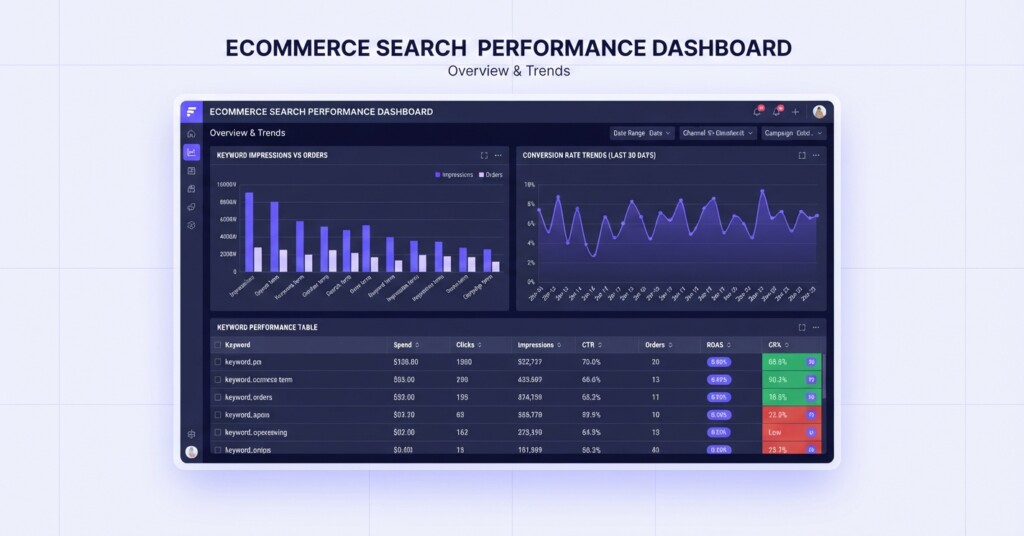
If your Shopee listings are attracting thousands of impressions but your conversion rate remains stubbornly low, the problem is almost certainly hiding inside your keyword data. Shopee Seller Centre provides search and keyword analytics — primarily through Shopee Ads — that most sellers glance at briefly and then ignore. That is a costly mistake. The gap between keywords that generate visibility and keywords that generate revenue is one of the most actionable insights available to any multi-channel ecommerce operator — and closing that gap can meaningfully improve your gross profit without increasing your ad spend.
This article walks through exactly how to read Shopee search keyword data, how to identify the specific keywords that are wasting your impressions, and what to do differently with your listings, pricing, and paid search allocation to turn visibility into sales.
Why Impressions Without Conversions Is a Profitability Problem
An impression on Shopee means a shopper saw your product in search results. A click means they visited your listing. A conversion means they bought. The ratio of clicks to impressions is your click-through rate (CTR), and the ratio of orders to clicks is your conversion rate (CVR). Both matter independently.
When you run Shopee Ads — particularly Search Ads — you pay per click. If your keywords are generating clicks that never convert, you are spending money on traffic with no return. Even for organic listings, high-impression low-conversion keywords are a signal that your listing is appearing in front of the wrong audience, or that something about your listing is failing to close the shopper once they arrive.
The core diagnostic question is not ‘How many impressions am I getting?’ It is ‘Which keywords bring shoppers who actually buy, and which ones bring shoppers who leave immediately?’ Answering that question is the starting point for both better ad spend and better listing optimisation.
Where to Find Search Analytics in Shopee Seller Centre
Log into your Shopee Seller Centre and navigate to the ‘Marketing Centre’ section in the left menu, then select ‘Shopee Ads’ (or ‘My Ads’). Note that Shopee does not provide an organic search query report under its Data or Business Insights section. Instead, keyword-level search data is accessed through Search Ads (Product Search Ads). From your Shopee Ads dashboard, navigate to your Search Ads campaigns to review keyword-level performance, which displays how your bid keywords and search queries perform across impressions, clicks, click-through rate, and orders.
Set your date range to at least the last 30 days to get statistically meaningful data. Click ‘Export Data’ to download the report to a spreadsheet so you can sort and filter without limitation. The essential columns to evaluate are: Keyword, Impressions, Clicks, Click-Through Rate, Orders, and Conversion Rate. If revenue (GMV) or total expense is available per keyword, include that too.
How to Build the High-Impression, Low-Conversion Keyword List
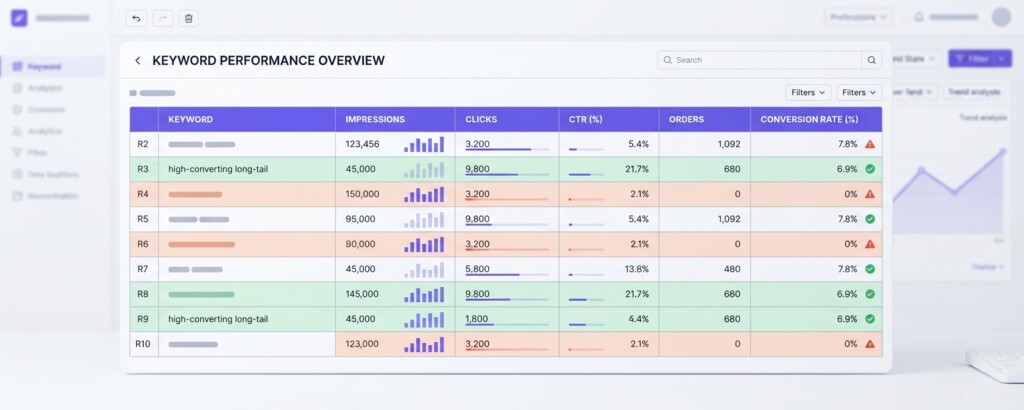
Once you have your data in a spreadsheet, apply the following filter logic to isolate your problem keywords. This is the analysis that most sellers skip entirely.
- Sort by Impressions descending so your highest-visibility keywords appear at the top.
- Add a column that calculates Conversion Rate as Orders divided by Clicks, expressed as a percentage.
- Add a second column that flags any keyword where Impressions exceed 500 (or a threshold appropriate to your category) but Conversion Rate is below 1%.
- Separate these flagged keywords into a dedicated tab labelled ‘Problem Keywords.’
- For each problem keyword, record the Click-Through Rate separately. This tells you whether the problem is at the impression stage (low CTR — shoppers see you but do not click) or at the listing stage (reasonable CTR but no purchase — shoppers click but leave without buying).
- Prioritise keywords where you are spending the most Shopee Ads budget, since those represent direct wasted cost rather than just a missed opportunity.
Consider a realistic example: a seller of kitchen appliances running Shopee in the Philippines. After exporting 30 days of search ad data, they find the keyword ‘air fryer’ has generated 12,400 impressions, 310 clicks (CTR of 2.5%), but only 2 orders. That is a conversion rate of 0.65%. Meanwhile, ‘compact air fryer for small kitchen’ has generated only 820 impressions but 38 clicks and 9 orders — a conversion rate of 23.7%. The long-tail keyword converts at over 36 times the rate of the broad term, yet the seller has been allocating most of their Shopee Ads budget to the broad term.
| Keyword | Impressions | Clicks | CTR | Orders | CVR | Ad Spend Allocated |
|---|---|---|---|---|---|---|
| air fryer | 12,400 | 310 | 2.5% | 2 | 0.65% | High |
| air fryer oven combo | 4,200 | 95 | 2.3% | 1 | 1.05% | Medium |
| compact air fryer for small kitchen | 820 | 38 | 4.6% | 9 | 23.7% | None |
| digital air fryer 4L | 1,100 | 52 | 4.7% | 11 | 21.2% | Low |
| cheap air fryer | 6,800 | 180 | 2.6% | 0 | 0% | Medium |
The table above makes the priority crystal clear. ‘Cheap air fryer’ generated zero orders from 180 clicks. ‘Air fryer’ generated only 2 orders from 310 clicks. Both are consuming budget and returning almost nothing. The higher-intent, more specific keywords are converting well but receiving little or no ad support.
Diagnosing Why High-Impression Keywords Fail to Convert
Once you have identified the problem keywords, the next step is diagnosing the cause. There are three common failure points, and each has a different fix.
The first failure point is audience mismatch. A keyword like ‘cheap air fryer’ attracts highly price-sensitive shoppers. If your product is mid-range or premium, the shopper arrives expecting a low price and immediately leaves when they see yours. The fix here is not to optimise your listing — it is to stop bidding on that keyword, or to use it only at a very low bid, and redirect your budget to more qualified terms.
The second failure point is listing weakness. A keyword like ‘air fryer’ is generic, which means shoppers clicking on it are still in browsing mode. When they land on your listing, your main image, price, and reviews need to immediately communicate why your product is the right choice. If your main image is low-resolution, your price appears uncompetitive relative to listings they can scroll to, or your review count is low, they will leave. The fix here is listing improvement: better images, more compelling first-screen copy, and review acquisition.
The third failure point is competitive positioning. If you appear on page one for ‘air fryer’ but your price is 20% higher than the top three results, shoppers will click your listing out of curiosity and immediately click back. Check what competitors are pricing at for that keyword. If you cannot match or justify the premium with your listing, deprioritise that keyword.
Do not assume that high impressions indicate success. A keyword that generates 10,000 impressions and zero orders is actively harming your ad efficiency and may be dragging down your shop’s overall conversion metrics, which Shopee’s algorithm uses to determine organic ranking. Continuing to bid heavily on non-converting keywords can reduce your visibility for keywords that do convert.
Calculating the True Cost of Non-Converting Keywords
To make the business case for reallocating budget, calculate what your non-converting keywords are actually costing you. Use your Shopee Ads data to find the cost per click for each problem keyword, then multiply by the number of clicks to get total wasted spend.
| Clicks on ‘cheap air fryer’ (30 days) | 180 clicks |
| Average cost per click on this keyword | PHP 3.20 |
| Total ad spend on ‘cheap air fryer’ | PHP 576 |
| Orders generated | 0 |
| Revenue generated | PHP 0 |
| ROAS (Return on Ad Spend) | 0x |
PHP 576 lost to a single non-converting keyword over 30 days may seem modest in isolation, but most sellers have five to fifteen such keywords running simultaneously. Across a full account, that can easily total PHP 5,000 to PHP 15,000 per month in wasted spend — money that could be redirected to keywords like ‘compact air fryer for small kitchen’ where every peso of ad spend is backed by a 23.7% conversion rate.
What to Do With Your Problem Keyword List
After identifying your high-impression, low-conversion keywords and diagnosing the cause, take action across three areas.
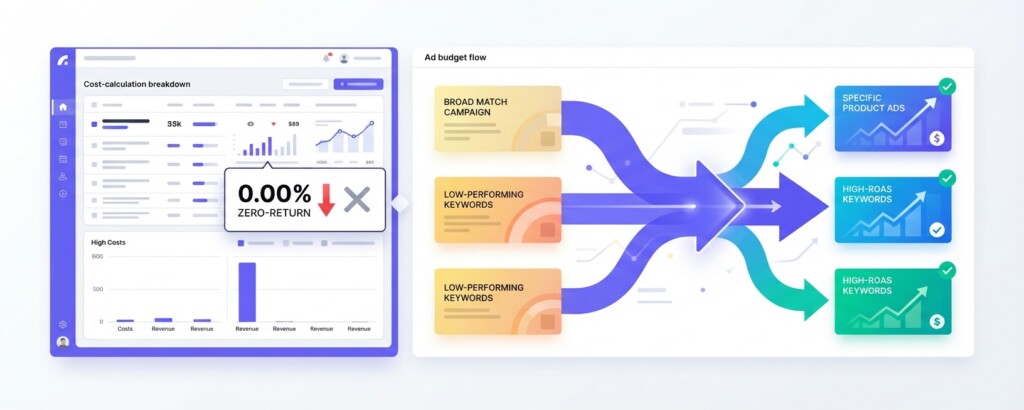
For keywords with near-zero conversion and no realistic path to improvement (such as ‘cheap’ modifiers on mid-range products), pause or remove them from your Shopee Ads campaigns. Redirect that daily budget to your best-performing long-tail keywords. Monitor the impact over the next 14 days using Seller Centre’s keyword performance data.
For keywords with reasonable CTR but poor conversion — meaning shoppers are clicking but not buying — update your listing directly. Reorder your product images so the most compelling visual and key benefit appear first. Add specific measurements, use cases, or comparison details to the listing description that address the hesitations a shopper coming from that keyword would have. Consider whether a small price adjustment or a bundled value offer would change the conversion outcome.
For keywords with poor CTR — meaning your listing appears but shoppers do not click — the fix is your main thumbnail image and your listing title. Because Shopee does not offer native automated A/B testing tools for listing images, test changes sequentially: swap your main thumbnail image and track CTR changes over a two-week period. Adjust your listing title to include the specific attributes that make your product stand out in that search context.
Connecting Keyword Performance to Gross Profit and Contribution Margin
The keyword-level analysis becomes significantly more powerful when connected to your product margin data. Not all conversions are equally valuable. A keyword that converts at 5% but drives sales of your lowest-margin product may actually be less profitable than a keyword that converts at 2% and drives sales of your highest-margin SKU.
For each high-performing keyword, calculate the contribution margin per order: selling price minus Shopee platform fees, payment processing fees, cost of goods, shipping costs, and the cost per click that drove the order. This gives you a true profitability view at the keyword level, not just a traffic view.
Multi-channel operators running across Shopee, Lazada, Shopify, and TikTok Shop often find that the same product converts at dramatically different rates across platforms, and that keyword-level economics differ accordingly. A keyword strategy that works on Shopee may be irrelevant on TikTok Shop, where discovery is driven by content rather than search intent. Keeping channel-specific keyword data and margin data connected in one place is what separates operators who scale profitably from those who grow revenue while eroding margin.
Tools like BrizoMarket allow multi-channel sellers to connect their Shopee, Lazada, and Shopify performance data in one view, making it easier to see not just which keywords convert, but which conversions actually contribute to overall business profitability rather than just top-line revenue.
A Weekly Keyword Audit Routine
- Every Monday, export the past 7 days of Shopee Ads keyword performance data and add it to your rolling keyword tracker spreadsheet.
- Flag any keyword with more than 100 impressions and a conversion rate below 1% that has been running for at least two weeks.
- Check the ad spend on each flagged keyword and calculate the total wasted spend for the week.
- For the top three worst-performing paid keywords, either pause bidding or reduce the bid by 50% and redistribute budget to your top three converting keywords.
- Review your top converting keywords and check whether impressions are growing or shrinking — if impressions are falling on a profitable keyword, increase your bid incrementally.
- Document every change made and the date, so you can attribute any performance changes to specific decisions two to four weeks later.
Practical Takeaways
Search and keyword analytics in Shopee Seller Centre is not merely a reporting tool — it is a diagnostic tool. The sellers who use it most effectively are not the ones who monitor it passively; they are the ones who build a structured weekly process around it, connect keyword performance to actual profit data, and make systematic changes to listing content, ad bids, and keyword selection based on what the data shows.
The keywords that drive impressions but fail to convert are not a minor nuisance. They are a direct drain on your ad budget, a signal of listing or positioning weakness, and in some cases a factor suppressing your organic ranking. Eliminating them or fixing the underlying cause is one of the highest-return optimisation activities available to any Shopee seller — and it requires no additional spend. It requires only that you look at the right data and act on it systematically.
Bring Your Keyword and Margin Data Together
Managing keyword performance across Shopee, Lazada, Shopify and TikTok Shop in separate dashboards makes it nearly impossible to understand which keywords are actually driving profitable growth. BrizoMarket helps multi-channel sellers connect their channel analytics with real margin and profitability data — so you can make smarter decisions across every platform.