How to Use Lazada Seller Centre Conversion Reports to Find Which Product Categories Convert Best at Full Price
Most Lazada sellers check their conversion rate as a single number. They see 2.3% and move on. But that blended figure hides something far more useful: the fact that certain product categories on your store convert at full price consistently, while others only move when discounted. Knowing the difference is the foundation of a profitable multi-channel pricing strategy.
This article walks through how to use Lazada Seller Centre conversion reports to identify which categories drive full-price revenue, how to interpret the data correctly, and how to use those findings to make better decisions across Lazada, Shopee, Shopify and TikTok Shop.
Why Full-Price Conversion Rate Is the Metric That Actually Matters
Conversion rate on its own tells you how often a visitor buys. It does not tell you what they paid. A product with a 6% conversion rate during a flash sale may generate less gross profit than a product with a 2.5% conversion rate at full price, because the margin on the discounted product has been erased by the voucher or markdown.
For e-commerce operators managing multiple channels and SKUs, the question is not simply ‘what converts?’ but rather ‘what converts without giving margin away?’ That distinction shapes how you allocate stock, set pricing tiers across channels, and decide which categories to invest in through paid traffic or platform advertising.
Full-price conversion rate = the percentage of product page visitors who purchase at or above your standard listed price, without a seller-funded voucher or markdown applied. This is your true measure of organic demand strength.
Where to Find Conversion Data in Lazada Seller Centre
Lazada Seller Centre provides product-level and category-level traffic and conversion data inside the ‘Business Advisor’ section. To access the relevant reports, navigate to Business Advisor, then select ‘Product’ (or ‘Product Performance’). From there you can filter by date range and product category.
The key fields you want to pull for this analysis are: Product Impressions, Product Detail Page Views, Units Sold, and Revenue. Note that Business Advisor reports aggregate these metrics over your selected date range rather than tagging individual orders by campaign or voucher, which is why isolating clean baseline date ranges is essential.
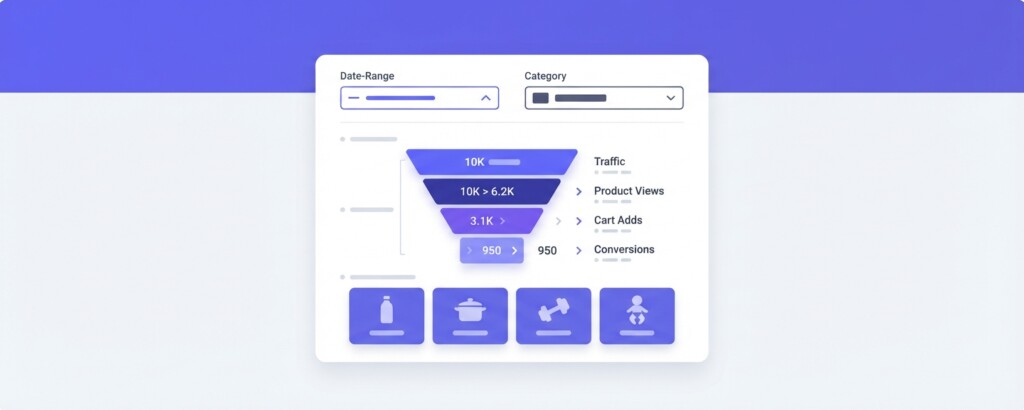
To isolate full-price conversion, you need to exclude promotional periods from your date range. Set your date filter to a standard trading period — avoiding the two weeks before and after any major platform campaign. This gives you a cleaner view of baseline demand.
- Log into Lazada Seller Centre and go to Business Advisor
- Select ‘Product’ from the Business Advisor navigation
- Set your date range to a non-promotional period (avoid 10.10, 11.11, 12.12 windows)
- Filter by product category using the category dropdown
- Export the data to a spreadsheet including: page views, units sold, revenue, and average selling price
- Add a column to calculate conversion rate: Units Sold ÷ Page Views × 100
- Add a second column for average selling price to compare against your standard listed price
Building a Category-Level Full-Price Conversion Table
Once you have exported the data, organise it by category. A simple comparison table reveals which categories are genuinely strong performers versus which ones depend on promotional mechanics to move volume.
In the example below, a mid-sized Lazada seller running five categories — home appliances, skincare, kitchenware, sports accessories and baby care — sees very different behaviour across those categories during non-promotional periods.
| Category | Page Views | Units Sold | Conversion Rate | Avg Selling Price | Listed Price | Full-Price Gap |
|---|---|---|---|---|---|---|
| Skincare | 12,400 | 434 | 3.5% | $38.20 | $38.00 | No gap — full price |
| Baby Care | 8,600 | 258 | 3.0% | $41.50 | $42.00 | Minimal — 1.2% below |
| Kitchenware | 9,100 | 182 | 2.0% | $29.80 | $35.00 | 15% below listed |
| Home Appliances | 6,200 | 93 | 1.5% | $188.00 | $220.00 | 15% below listed |
| Sports Accessories | 11,300 | 113 | 1.0% | $22.10 | $28.00 | 21% below listed |
The table shows that Skincare and Baby Care convert at or near full price, while Kitchenware, Home Appliances and Sports Accessories are being sold well below their listed price even outside of major campaigns. That gap is almost certainly explained by seller-funded vouchers, bundle discounts or manual price adjustments that were left running.
If your average selling price is consistently below your listed price outside of platform campaigns, you likely have persistent seller-funded discounts running that are silently eroding your margin. Check your active voucher settings and any automated repricing rules in Seller Centre before drawing conclusions from conversion data.
Interpreting the Results: What Full-Price Conversion Tells You About Each Category
A category that converts well at full price — like Skincare in the example above — signals genuine demand. Customers are finding those products, deciding they are worth the listed price, and buying. This is the profile of a category where you can confidently invest in paid traffic, allocate more stock, and consider expanding your range.
A category that only converts when discounted is a different problem. It may indicate that your pricing is above market expectations, that your product listings are not communicating value clearly enough, or that the category is simply highly commoditised on the platform. Sports Accessories in the table above, converting at 1.0% with a 21% price gap, warrants a different strategy entirely.
The right response is not always to lower prices. Sometimes it is to improve listing quality — better images, clearer feature copy, stronger review counts — which can raise conversion at full price. Other times, the honest answer is that the category does not belong on Lazada at that price point, and it may perform better on a different channel such as your own Shopify store where the audience has higher purchase intent.

Calculating the Margin Impact of Discount-Dependent Categories
To make this analysis actionable for finance managers, you need to translate the conversion gap into margin impact. Take the Sports Accessories category from the example. The listed price is $28.00 and the average selling price is $22.10. If the cost of goods is $12.00 and Lazada’s commission is approximately 4% on that category, the margin difference is significant.
| Listed Price | $28.00 |
| Lazada Commission (4%) | – $1.12 |
| Cost of Goods | – $12.00 |
| Gross Profit at Full Price | $14.88 |
| Actual Average Selling Price | $22.10 |
| Lazada Commission (4%) | – $0.88 |
| Cost of Goods | – $12.00 |
| Gross Profit at Discounted Price | $9.22 |
| Margin Lost Per Unit to Discounting | – $5.66 |
Across 113 units sold in that period, the seller has given away $639.58 in gross profit that would have been retained if those units had sold at the listed price. When this is happening across multiple categories and multiple months, the cumulative margin erosion is substantial — and often invisible in top-line revenue reports.
Using This Analysis Across Multiple Channels
The real strategic value of this analysis becomes clear when you compare category-level full-price conversion across your channels. A category that struggles to convert at full price on Lazada may perform entirely differently on Shopify, where your customers have arrived through a specific search or recommendation and have higher purchase intent. Alternatively, a category that converts strongly on Lazada at full price may represent an underpriced opportunity on Shopee or TikTok Shop.
Run the same analysis on Shopee using their similar Business Insights tools, and on Shopify using the product performance reports in your analytics dashboard. Then compare the full-price conversion rate and average selling price gap across all three channels for the same SKUs or categories.
| Category | Lazada Full-Price CVR | Shopee Full-Price CVR | Shopify Full-Price CVR | Best Channel for Margin |
|---|---|---|---|---|
| Skincare | 3.5% | 2.8% | 4.1% | Shopify |
| Baby Care | 3.0% | 3.4% | 2.2% | Shopee |
| Kitchenware | 2.0% (discounted) | 1.8% (discounted) | 2.9% | Shopify |
| Sports Accessories | 1.0% (discounted) | 2.2% | 1.4% | Shopee |
This cross-channel view tells a specific and actionable story. Kitchenware is being discounted on both Lazada and Shopee but converts well at full price on Shopify — meaning the audience coming through your own store values it at your listed price. The logical response is to reduce paid traffic investment on Lazada for Kitchenware, stop the persistent discounting, and invest more in driving traffic to your Shopify store for that category.
Practical Steps to Act on What You Find
- Identify your top two or three categories that convert at or near full price on Lazada without promotions
- Audit all active seller-funded vouchers and check whether any are applied to full-price-converting categories unnecessarily
- For discount-dependent categories, run a 30-day test with vouchers removed to see whether conversion rate falls or holds
- Calculate the gross profit impact of the discount gap for each category using the margin formula above
- Compare Lazada full-price conversion against Shopee and Shopify for the same categories
- Redirect paid advertising spend — including Lazada Sponsored Solutions — toward categories with proven full-price conversion
- For categories that only convert with discounts on all channels, evaluate whether your pricing, listing quality or product-market fit needs to change
How Tools Like BrizoMarket Support This Kind of Analysis
Running this analysis manually in spreadsheets is feasible for a small catalogue, but becomes time-consuming when you are managing hundreds of SKUs across Lazada, Shopee, Shopify and TikTok Shop simultaneously. The challenge is not just pulling the data — it is normalising it across platforms that each use different report formats and metric definitions.
BrizoMarket is built specifically for this problem. It connects your sales channels into a single view and allows you to compare product and category performance — including margin and pricing metrics — across platforms without rebuilding your spreadsheet every month. For operators doing this kind of profitability analysis regularly, having the data consolidated and consistently formatted saves significant time and reduces the risk of comparison errors between platform exports.
The Takeaway
Lazada’s conversion reports become genuinely powerful when you filter out promotional noise and focus specifically on what sells at your listed price. The categories that convert at full price are your strongest commercial assets. They should receive more stock, more listing investment and more paid traffic. The categories that only move when discounted deserve a harder look — whether that means improving listings, repricing for the channel, shifting volume to a better-fit platform, or accepting that the margin does not work.
Every margin point you recover by reducing unnecessary discounting on high-converting categories flows directly to gross profit. For most multi-channel e-commerce businesses, this analysis is one of the highest-return activities a finance manager or operator can do with an afternoon and a spreadsheet.
Analyse Your Channel Profitability in One Place
BrizoMarket helps e-commerce operators compare product and category performance across Lazada, Shopee, Shopify and TikTok Shop — with margin and pricing data normalised across all channels.