How to Use TikTok Shop Finance Reports to Reconcile Payouts, Commissions, and Deductions Into a Clean Monthly P&L
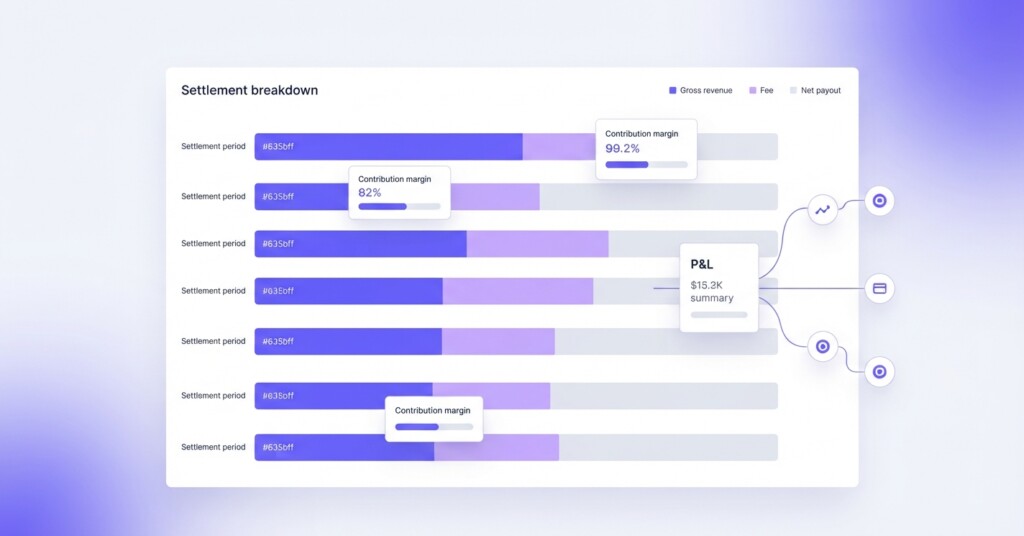
TikTok Shop payouts rarely match what sellers expect. Between platform commissions, affiliate fees, fulfilment charges, promotional subsidies, and return deductions, the amount that lands in your bank account can look very different from your gross sales figure. If you are running TikTok Shop alongside Shopify, Shopee, or Lazada, reconciling that payout into a clean monthly P&L is not optional — it is the only way to know whether the channel is genuinely profitable or simply generating revenue.
This article walks through how TikTok Shop finance reports are structured, what each deduction means, and how to convert raw payout data into a contribution margin view that sits neatly inside your multi-channel P&L.
Why TikTok Shop Payouts Are Confusing
TikTok Shop settles payouts on a rolling basis — typically every few days after order completion and delivery — rather than on a clean calendar month cycle. This means a single month of trading generates multiple payout batches, each covering different order dates. If you simply book the payout deposits as revenue, you will misstate both the timing and the amount of your actual sales.
On top of the settlement timing, each payout is net of several deductions that are bundled together. Many sellers see the deposit hit their account and assume the difference from gross sales is just the platform commission — but the reality is more layered.
The core reconciliation challenge is this: TikTok Shop pays you net of fees, but your P&L needs to show gross revenue, itemised costs, and the resulting margin. You cannot build accurate channel-level profitability without separating these components.
Understanding the TikTok Shop Finance Report Structure
Inside the TikTok Shop Seller Centre, the Finance section gives you access to several key financial statements and exports. The most important for reconciliation is the Settlement Report, exported from the Statements or Payouts tab. Download this report covering all settlements associated with the period under review.
- Settlement Report — provides an aggregate view of each payout batch, statement period, gross settled value, and net amount disbursed after deductions.
- Order Details (Transaction Breakdown) — a detailed spreadsheet within the settlement export breaking down individual line items: referral commissions, affiliate commissions, customer and seller shipping fees, voucher subsidies, return deductions, and adjustment credits.
- Order-Level Export — links each transaction back to an Order ID and SKU, allowing you to match revenue and product costs directly to individual items.
- On-Hold & Reserve Records — displays unsettled transactions, unreleased reserves, and pending dispute amounts that are temporarily withheld from payouts.
The Key Deduction Categories and What They Mean
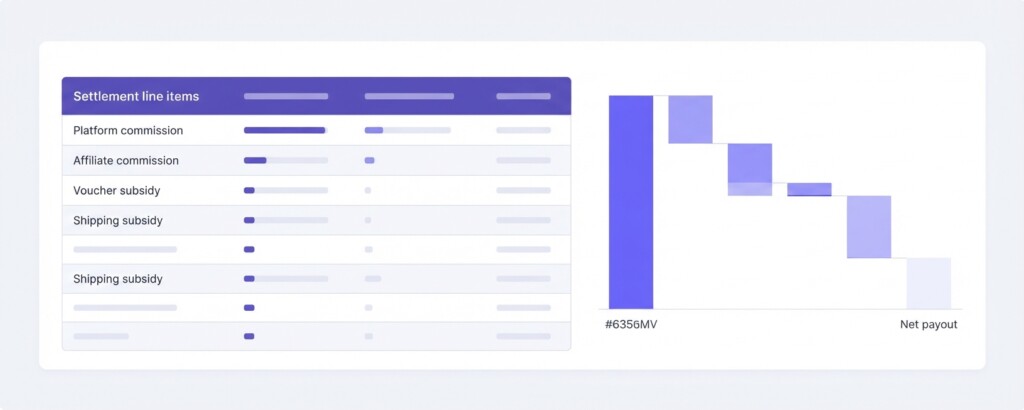
Before you can build a clean P&L, you need to understand what each deduction category represents in commercial terms. The labels in TikTok Shop reports do not always use the same language as your accounting system, so here is a plain-language translation.
| TikTok Shop Deduction | What It Represents | P&L Classification |
|---|---|---|
| Platform Commission | Percentage of GMV charged by TikTok Shop for marketplace access | Channel Selling Fee — Cost of Revenue |
| Affiliate Commission | Fee paid to content creators or affiliates who drove the sale | Marketing Cost — Performance-Based |
| Shipping Subsidy Deducted | Portion of shipping discount that the seller funds | Fulfilment Cost |
| Voucher Subsidy Deducted | Discount vouchers co-funded by the seller rather than TikTok | Promotional Discount — reduces Net Revenue |
| Return Deduction | Refund of payout for returned or cancelled orders | Revenue Reversal |
| Adjustment / Dispute Credit | Corrections applied by TikTok to prior settlements | Reconciling Item |
Getting these classifications right matters because they affect different lines of your P&L. Platform commission and affiliate commission are costs against revenue. Voucher subsidies funded by you are effectively a reduction in net selling price. Shipping subsidies are a fulfilment cost. Treating all of them as a single ‘platform fee’ distorts your true gross margins and operating cost structure on TikTok Shop.
Step-by-Step: Building a Monthly TikTok Shop P&L
The following example uses a hypothetical skincare brand with meaningful TikTok Shop volume. The figures are illustrative but realistic for a mid-sized seller running affiliate-driven campaigns.
| Gross Merchandise Value (total orders placed) | $42,800 |
| Less: Cancelled & Returned Orders | –$3,100 |
| Net Revenue (settled GMV) | $39,700 |
| Less: Platform Commission (approx. 5% of net GMV) | –$1,985 |
| Less: Affiliate Commissions (avg. 12% on affiliate-driven orders) | –$3,240 |
| Less: Seller-Funded Voucher Subsidies | –$1,450 |
| Less: Seller-Funded Shipping Subsidies | –$620 |
| Net Payout Received | $32,405 |
This payout of $32,405 is what hits the bank. To build a proper P&L, you now layer in your cost of goods and remaining operating costs to arrive at contribution margin.
| Net Revenue (settled GMV after returns) | $39,700 |
| Less: Cost of Goods Sold (avg. COGS margin 38%) | –$15,086 |
| Gross Profit | $24,614 |
| Less: Platform Commission | –$1,985 |
| Less: Affiliate Commissions | –$3,240 |
| Less: Seller-Funded Voucher Subsidies | –$1,450 |
| Less: Seller-Funded Shipping Subsidies | –$620 |
| Channel Contribution Margin | $17,319 |
| Contribution Margin % | 43.6% of Net Revenue |
A 43.6% contribution margin on TikTok Shop looks healthy — but you are not finished. Any paid media spend run through TikTok Ads (separate from affiliate commissions) should also be deducted here if it directly drove those sales. For this brand, if they spent $2,800 on TikTok Ads that month, the true contribution margin drops to $14,519, or 36.6%.
Do not confuse TikTok Ads spend with TikTok Shop affiliate commissions. They are separate cost lines, often sitting in different dashboards. Affiliate fees appear in the Finance Report. Ad spend appears in the TikTok Ads Manager. Both must be included when calculating true channel profitability.
Handling Settlement Timing in a Calendar Month P&L
Because TikTok Shop settles on rolling cycles, a payout received in February may cover orders placed in January. If you book revenue on a cash basis (when payout arrives), your monthly figures will be systematically wrong — particularly for fast-growing channels where order volumes are rising.
The cleaner approach is to use the Order Creation Date from the transaction export as your revenue recognition date, then match deductions to the same period. Practically, this means downloading the full settlement report with a buffer window after month end, filtering by order date rather than statement date, and summing all deduction categories for orders placed in that calendar month.
- Export the Settlement Report (including the Order Details sheet) for a date range that covers the reporting month plus a two-week buffer to capture late-settling orders.
- Filter the dataset by Order Creation Date to isolate the calendar month you are reporting on.
- Sum gross order value, returns, and each deduction category separately.
- Reconcile your total net payout column against actual bank deposits — differences indicate in-transit settlements or withheld amounts.
- Book the resulting figures into your P&L using the order date as the revenue date.
Comparing TikTok Shop Economics Against Other Channels
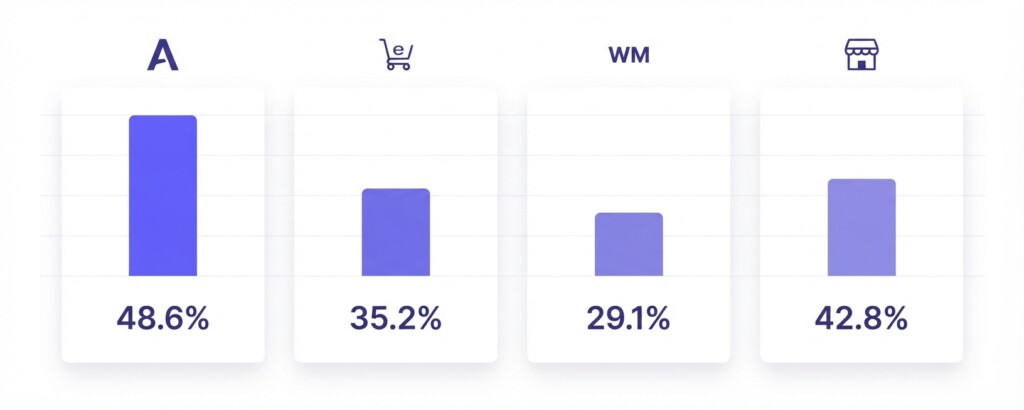
Once you have a clean TikTok Shop P&L, the most valuable next step is placing it alongside your other channels. Here is how TikTok Shop compares to Shopee, Lazada, and Shopify for the same product category, using realistic fee structures. Note that actual fees vary by category, seller tier, and promotional participation.
| Channel | Platform Commission | Typical Affiliate / Traffic Cost | Fulfilment Subsidy Risk | Net Revenue Capture |
|---|---|---|---|---|
| TikTok Shop | ~5–8% | 8–15% (affiliate-heavy) | Moderate (seller vouchers common) | ~72–85% of GMV |
| Shopee | ~3–8% | Varies (affiliates & paid ads separate) | High (free shipping campaigns) | ~70–82% of GMV |
| Lazada | ~4–7% | Varies (sponsored solutions separate) | Moderate | ~74–82% of GMV |
| Shopify (own store) | ~2.4–3.5% (payment processing) | Paid media is direct spend | Low (self-managed) | ~88–95% of GMV |
This comparison immediately surfaces why channel mix decisions matter. Shopify captures more revenue per dollar of GMV, but TikTok Shop can drive discovery volume that Shopify alone cannot. The right question is not which channel is cheapest — it is which channel generates the best contribution margin after all costs, at sustainable volume.
Common Reconciliation Errors to Avoid
- Booking the net payout as revenue instead of gross GMV — this understates revenue and obscures the true cost structure.
- Missing seller-funded voucher subsidies — these are easy to overlook because they feel like marketing, but they directly reduce your realised selling price.
- Combining TikTok Ads spend and affiliate commissions into a single ‘marketing’ line — they have different economics and need to be tracked separately.
- Ignoring return deductions — returns on TikTok Shop can be material, particularly for fashion and beauty categories with active affiliate promotion.
- Failing to reconcile outstanding balances — withheld amounts and disputes can sit in the On-Hold or Reserve section for weeks without appearing in payouts.
Using a Multi-Channel Analytics Tool to Automate This
Doing this reconciliation manually in spreadsheets each month is workable for a single channel but becomes error-prone as you scale across TikTok Shop, Shopee, Lazada, and Shopify simultaneously. The data formats differ, the settlement cycles differ, and the fee terminology differs. A single reporting error in one channel can distort your entire multi-channel P&L.
Tools like BrizoMarket are built specifically for this problem — connecting to multiple Southeast Asian marketplace and DTC channels, normalising fee and deduction data into consistent P&L line items, and presenting contribution margin by channel in a format that finance managers can actually use. Rather than exporting four separate reports and reconciling them in a shared spreadsheet, you get a single view that already accounts for settlement timing, deduction categories, and COGS.
Key Takeaways and Next Steps
TikTok Shop is a genuinely powerful channel for discovery and volume — but its finance reports require deliberate reconciliation work before they are usable for business decision-making. The payout you receive is the end of a chain of deductions, not the starting point for your P&L.
- Download the Settlement Report (containing the Order Details sheet) from TikTok Shop Seller Centre at month end.
- Filter all transactions by Order Creation Date, not settlement date, to align revenue with the correct accounting period.
- Separate platform commission, affiliate commission, seller-funded vouchers, and shipping subsidies into distinct P&L lines.
- Add TikTok Ads spend from Ads Manager as a separate marketing cost line — do not blend it with affiliate fees.
- Calculate contribution margin at the channel level and compare it across TikTok Shop, Shopee, Lazada, and Shopify each month.
- Reconcile your P&L net revenue figure against actual bank deposits to catch in-transit settlements or withheld amounts.
Once this process is embedded into your monthly close, TikTok Shop stops being a black box and becomes a properly measured channel — one you can confidently grow, optimise, or rebalance against the rest of your portfolio.
Reconcile All Your Channels in One Place
BrizoMarket connects TikTok Shop, Shopee, Lazada, and Shopify into a single P&L view — with deductions, COGS, and contribution margins calculated automatically so you can stop reconciling spreadsheets and start making better channel decisions.