How to Use Shopee Seller Centre Finance Reports to Reconcile Payouts, Deductions, and Platform Fees Into a Clean Monthly P&L
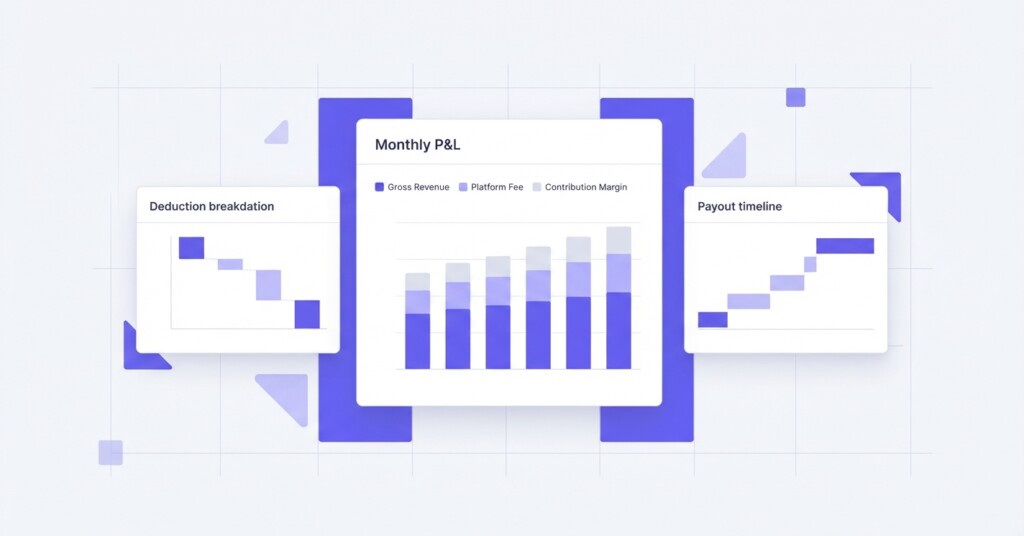
If you sell on Shopee, you have almost certainly experienced the frustration of a payout landing in your bank account that does not match what you expected. The numbers in your orders dashboard look healthy, but after Shopee deducts commission, transaction fees, shipping subsidies, voucher reimbursements, and penalties, the actual transfer is noticeably smaller. Without a structured reconciliation process, those gaps quietly erode your margin and distort every financial decision you make.
This article walks through a practical, step-by-step approach to using Shopee Seller Centre Finance Reports to build a clean monthly P&L. It covers which reports to pull, how to interpret each line item, how to map deductions to their correct cost categories, and how to produce a contribution margin view that is actually useful for business decisions.
Why Shopee Payouts Are Confusing by Design
Shopee processes payouts on a rolling settlement cycle. Orders are released for payout after a buyer confirms receipt or after the return window closes, which means a single payout can bundle orders from several different weeks. If you are also running Shopee Ads, the advertising spend is deducted separately from your Seller Balance (Shopee Wallet), not always from the same payout. This creates a mismatch between the period in which revenue was earned and the period in which cash was received.
On top of the settlement timing, Shopee applies multiple fee types to each order. These include a percentage commission on the transaction value, a payment processing fee, a service fee for sellers on certain promotional programmes, and adjustments for platform vouchers or free shipping promotions where Shopee partially subsidises or co-funds discounts with the seller. Understanding each of these is essential before you can produce an accurate P&L.
Step 1 — Pull the Correct Reports From Seller Centre
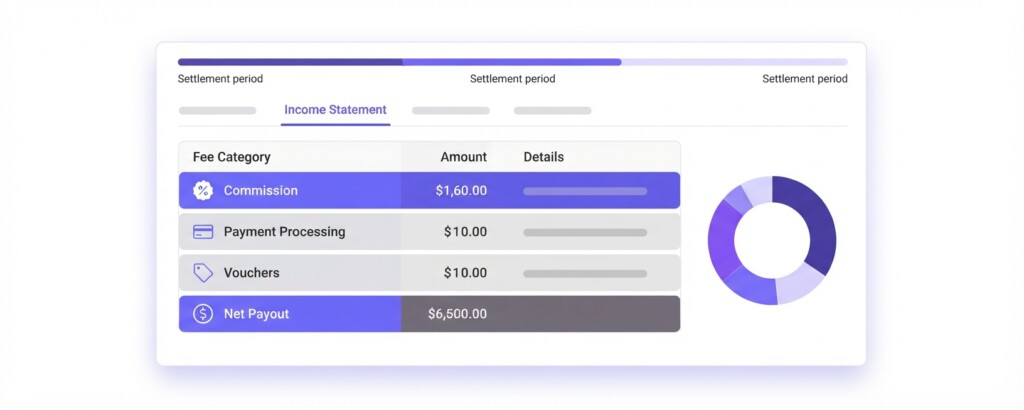
Log into Shopee Seller Centre and navigate to Finance. While Finance houses your primary income statements and transaction reports, you need to pull four key exports across Seller Centre to assemble your monthly P&L.
- Income Statement Report — This provides a summary of gross sales, platform fees, shipping fees, voucher deductions, and net income per settlement period. Export this as a CSV for your target month from My Income.
- Order-Level Transaction Report (Income Details) — This breaks down every released order individually, showing the buyer payment, commission charged, transaction fee, shipping fee collected, and any adjustments. This is the file you use to verify the summary.
- Shopee Ads Report — Navigate to Shopee Ads and export your spending by day for the same month. Ad spend is tracked separately from order escrow, so this needs to be pulled from the Ads dashboard.
- Wallet / Seller Balance Transaction History — This shows every credit and debit to your balance, including payout transfers, ad deductions, and any manual adjustments. Cross-reference this against your bank statements.
Export all four reports for the same calendar month before you begin reconciliation. For accurate revenue recognition, filter your detailed order records by order creation date rather than settlement date so your sales figure aligns with the period you are analysing. Cash payouts and wallet transfers will be reconciled separately.
Step 2 — Map Each Line Item to a P&L Category
The most common mistake sellers make is treating the net payout from Shopee as revenue. It is not. The payout is revenue minus platform costs. If you book only the payout, you understate both your revenue and your costs, which makes it impossible to compare channel performance accurately across Shopee, Lazada, Shopify, or TikTok Shop.
Instead, book gross merchandise value as your top-line revenue, then apply each deduction as a specific cost line below it. Here is how each Shopee Finance Report item maps to a P&L category.
| Shopee Report Line Item | P&L Category | Notes |
|---|---|---|
| Buyer Payment (GMV) | Gross Revenue | Include shipping fees collected from buyer |
| Shipping Fee Collected | Shipping Revenue or Offset | May partially offset shipping cost |
| Commission Fee | Platform Cost — Commission | Percentage of item price, varies by category |
| Transaction / Payment Fee | Platform Cost — Payment Processing | Typically a flat % of buyer payment (plus GST) |
| Service Fee | Platform Cost — Service | Applies to programmes like Promo Xtra or Free Shipping Special |
| Platform Voucher Deduction | Platform Cost — Voucher | Applies to co-funded campaign vouchers; fully Shopee-funded vouchers are absorbed as rebates |
| Seller-Funded Voucher | Marketing Cost — Promotions | Fully borne by seller, should sit in marketing |
| Shopee Ads Spend | Marketing Cost — Paid Ads | From Ads report, not always in Income Statement |
| Return / Refund Deduction | Revenue Adjustment | Reduce gross revenue or book as a contra-revenue line |
| Penalty Fee | Operating Cost — Penalties | Late dispatch, cancellations; track separately |
| Net Payout Received | Cash Received (not P&L revenue) | Reconcile to bank, not to income |
Step 3 — Build the Monthly P&L Structure
Once you have mapped each item, you can construct a Shopee-specific P&L for the month. The goal is to arrive at contribution margin — what Shopee actually contributed to your business after all channel-specific costs, before shared overhead like warehousing and staff.
Here is a worked example using realistic figures for a seller doing approximately SGD 80,000 in monthly GMV on Shopee.
| Gross Merchandise Value (GMV) | SGD 80,000 |
| Less: Returns and Refunds | – SGD 3,200 |
| Net Revenue | SGD 76,800 |
| Less: Cost of Goods Sold (COGS) | – SGD 38,400 |
| Gross Profit | SGD 38,400 |
| Less: Commission Fee (approx 3–5%) | – SGD 3,200 |
| Less: Transaction / Payment Fee (approx 2%) | – SGD 1,536 |
| Less: Platform Voucher Deductions | – SGD 960 |
| Less: Seller-Funded Vouchers and Discounts | – SGD 1,600 |
| Less: Shopee Ads Spend | – SGD 4,800 |
| Less: Shipping Subsidy Paid by Seller | – SGD 1,120 |
| Less: Penalties and Other Fees | – SGD 240 |
| Shopee Contribution Margin | SGD 24,944 |
In this example, Shopee contribution margin is SGD 24,944 on SGD 76,800 net revenue — a contribution margin rate of approximately 32.5%. That is the number that should inform decisions about how much to invest in Shopee ads, whether to participate in flash sales, and how Shopee compares to your other channels.
Step 4 — Reconcile Payouts to Your Bank Account
Payout reconciliation is separate from P&L reconciliation, but equally important for cash flow management. Shopee may release multiple payouts in a single month, each covering different order batches. Your task is to confirm that the sum of all payouts received in your bank matches the net cash you should have received based on your Finance Reports.
- Export the Wallet Transaction History for the month and identify every ‘Payout to Bank’ entry.
- Sum these payout amounts and compare to your bank statement deposits tagged to Shopee.
- If there is a discrepancy, look for Shopee Ads deductions taken from the Wallet before payout, or any hold amounts on disputed orders.
- Check for any orders that were created in the prior month but settled this month — these appear in your payout but not in your current-month Income Statement if you filtered by order date.
- Document any unresolved differences and raise them through Seller Centre Help Centre with reference to specific order numbers.
Never assume a discrepancy between your expected payout and actual bank deposit is a Shopee error before checking your Wallet history. In most cases, the difference is caused by Shopee Ads spend being deducted from the Wallet, orders under review for return disputes, or settlement timing for orders that span month-end. Always investigate the Wallet first.
Step 5 — Compare Shopee Performance Against Other Channels
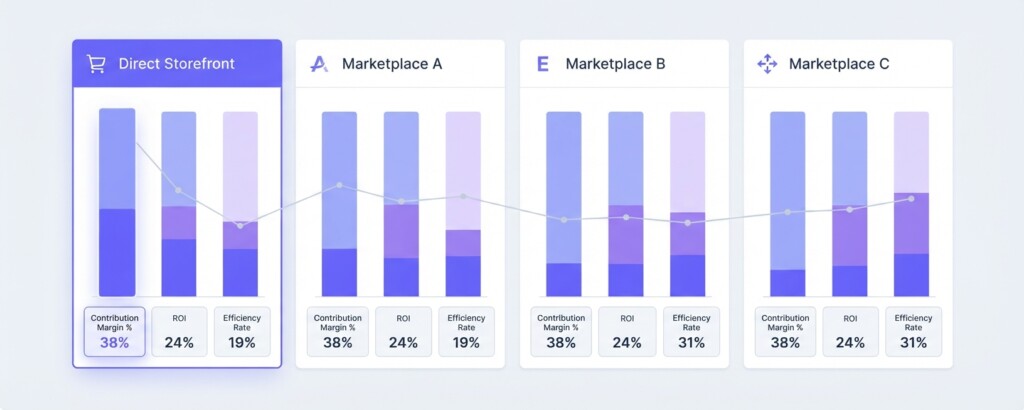
Once you have a clean Shopee P&L, the real value comes from comparing it to your other channels using the same contribution margin framework. If you also sell on Lazada, Shopify, and TikTok Shop, each channel has a different fee structure and customer acquisition cost that makes direct GMV comparison misleading.
| Metric | Shopee | Lazada | Shopify | TikTok Shop |
|---|---|---|---|---|
| Net Revenue | SGD 76,800 | SGD 42,000 | SGD 55,000 | SGD 28,500 |
| COGS (50%) | SGD 38,400 | SGD 21,000 | SGD 27,500 | SGD 14,250 |
| Gross Profit | SGD 38,400 | SGD 21,000 | SGD 27,500 | SGD 14,250 |
| Platform Fees | SGD 5,936 | SGD 4,620 | SGD 1,650 | SGD 2,280 |
| Marketing Spend | SGD 6,400 | SGD 3,360 | SGD 8,250 | SGD 5,700 |
| Shipping Net Cost | SGD 1,120 | SGD 840 | SGD 2,200 | SGD 570 |
| Contribution Margin | SGD 24,944 | SGD 12,180 | SGD 15,400 | SGD 5,700 |
| Contribution Margin % | 32.5% | 29.0% | 28.0% | 20.0% |
This comparison reveals something that raw GMV figures hide. Shopee generates the highest absolute contribution, but the margin rate difference between channels is narrower than many sellers expect. TikTok Shop has the lowest contribution margin partly because marketing spend — particularly influencer fees and affiliate commissions — is proportionally higher, and partly because the channel is newer with higher promotional costs. Shopify shows strong gross profit retention because there is no marketplace commission, but paid advertising to drive traffic cuts into that advantage.
Common Errors That Distort Your Shopee P&L
Even experienced operators make the same reconciliation mistakes repeatedly. Knowing them in advance saves hours of backtracking each month.
- Booking the net payout as revenue instead of gross GMV — this understates both revenue and costs, making margin calculations meaningless.
- Forgetting to include Shopee Ads spend in the channel P&L because it is managed by a different team member.
- Treating platform voucher deductions as a marketing expense without checking whether Shopee funded part of it — co-funded vouchers need to be split.
- Using the settlement date to define the period rather than the order creation date, causing revenue to appear in the wrong month.
- Ignoring return deductions that appear in a later month for orders created in the current month, which overstates current revenue.
- Mixing up seller-funded and Shopee-funded free shipping, each of which has a different impact on your cost structure.
Using a Tool to Automate This Process
Manual reconciliation using exported CSVs works, but it is time-consuming and error-prone, particularly for sellers running multiple channels simultaneously. The reconciliation process described in this article — mapping GMV, splitting fee types, aligning periods, and producing contribution margin by channel — is exactly the kind of structured financial analysis that platforms like BrizoMarket are designed to automate. If you are spending more than a few hours each month on this reconciliation, it is worth evaluating whether a connected analytics solution can reclaim that time and reduce the risk of human error in your monthly reporting.
What to Do With a Clean Monthly P&L
A clean Shopee P&L is not just a finance exercise — it should drive operational decisions. If your contribution margin on Shopee drops from 32% to 26% month-on-month, the P&L tells you exactly where to look: was it a spike in commission from category changes, higher ad spend with lower conversion, more voucher usage during a campaign, or a surge in returns from a specific product? Each of those has a different fix.
Use the monthly P&L to set a floor for minimum acceptable contribution margin before approving campaign participation, to evaluate whether Shopee Coins Cashback (Promo Xtra) promotions are profitable at your margin level, and to identify which product categories on Shopee carry disproportionately high commission rates that compress your margins below what is sustainable.
Set a monthly reconciliation routine: pull reports on the 3rd of each month for the prior month, complete the P&L mapping within 48 hours, and review channel contribution margins in a standing finance meeting before committing to the next month’s promotional calendar. Decisions made without this data are guesses.
Key Takeaways
Shopee Finance Reports contain everything you need to build an accurate monthly P&L — but only if you pull all four relevant reports, map each line item to the correct P&L category, and keep revenue recognition separate from cash payout timing. The contribution margin view, calculated after COGS and all channel-specific costs, is the metric that actually reflects how much Shopee contributes to your business. Compare it across channels using the same methodology, and you will have a genuinely useful financial picture to guide where you invest, which promotions you join, and which products you prioritise.
Stop Reconciling Shopee Payouts Manually
BrizoMarket connects your Shopee, Lazada, Shopify, and TikTok Shop data into a unified contribution margin view — so your monthly P&L is ready without the spreadsheet work.