How to Use Shopify Finance Reports to Reconcile Gross Sales, Discounts, and Refunds Into a Clean Monthly Revenue Figure
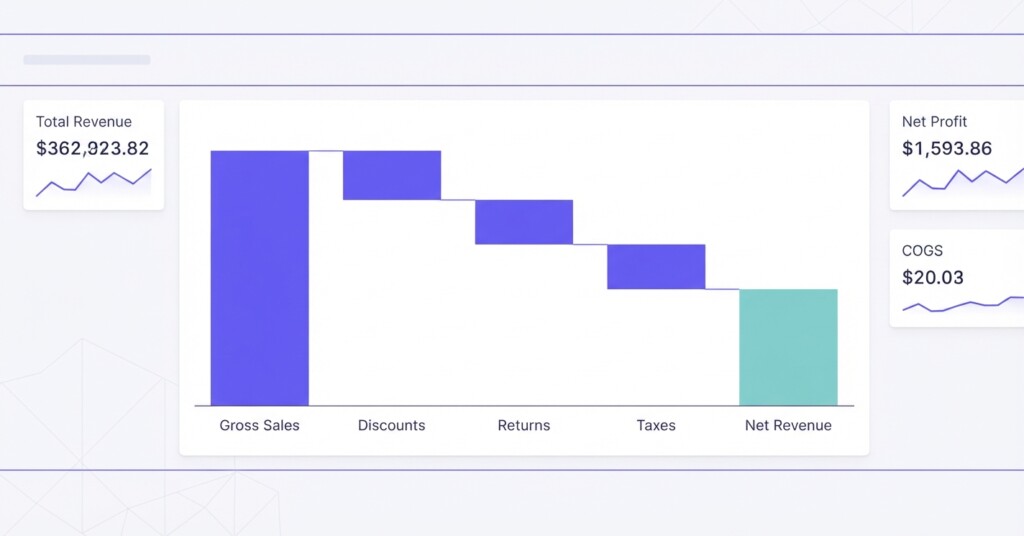
If you run an e-commerce business on Shopify — whether as a standalone store or alongside channels like Shopee, Lazada, and TikTok Shop — you have probably noticed that the revenue number displayed on your Shopify dashboard rarely matches what lands in your bank account. That gap is not an error. It is the difference between gross sales and net revenue, and understanding how to move from one to the other is one of the most important financial skills an e-commerce operator can develop.
This article walks through how to use Shopify’s built-in finance reports to reconcile gross sales, discounts, returns, and refunds into a clean, reliable monthly revenue figure — the kind you can use to make real business decisions, compare channel performance, and report accurately to stakeholders.
Why the Shopify Dashboard Number Is Not Your Revenue
The ‘Total Sales’ figure shown on the Shopify home dashboard is often mistaken for a simple gross sales number, but it is actually a composite metric. Shopify calculates Total Sales as Gross Sales minus discounts and returns, plus shipping charges, taxes, and fees. It is not your clean net revenue because it includes pass-through liabilities like taxes and non-product charges like shipping. Conversely, ‘Gross Sales’ in Shopify reports captures the full product price before any discounts, returns, taxes, or shipping. Conflating these numbers can lead to substantial financial distortions.
For example, a Shopify store selling fashion accessories might generate $85,000 in gross sales for a month. After accounting for $6,200 in discount codes used during a mid-month sale and $4,100 in refunds and returns, the actual net product revenue is $74,700. If that store also collected $3,800 in shipping charges and $7,600 in sales taxes, the Shopify dashboard would show $86,100 in Total Sales ($74,700 net sales + $3,800 shipping + $7,600 taxes). Making marketing or inventory decisions based on $86,100 rather than $74,700 produces flawed analysis.
Net revenue is the foundation of every meaningful profitability calculation. Before you can measure gross profit, contribution margin, or channel performance, you need a clean revenue figure that removes discounts, returns, and non-product income from the equation.
The Shopify Finance Reports You Need
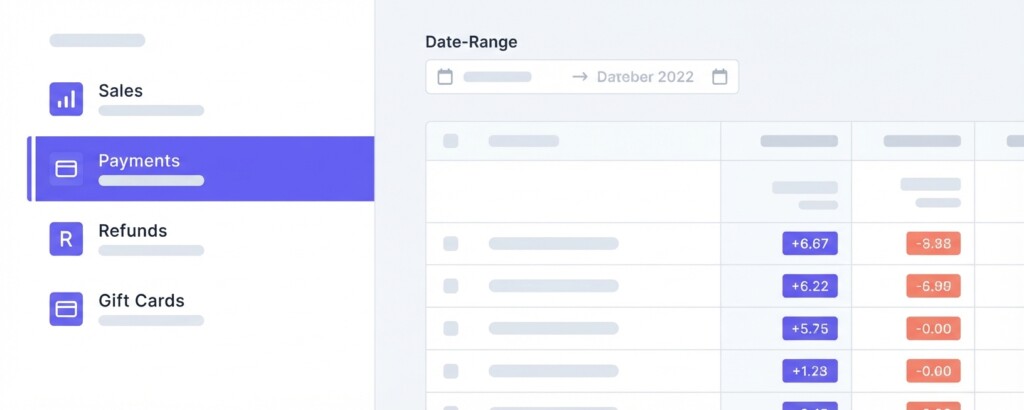
Shopify provides a set of finance reports under Analytics → Reports (filterable under Finances). The four most important reports for monthly reconciliation are:
- Total Sales Breakdown Report — breaks down gross sales, discounts, sales reversals (returns), net sales, shipping, and taxes by date, product, channel, or order.
- Payments Report — shows what was actually collected through each payment method, including gateway breakdowns and payouts.
- Sales Reversals Report — details every refunded or cancelled transaction, including partial refunds and restocked items.
- Gift Cards Report — captures gift card sales (liabilities) and redemptions separately, which matter for deferred revenue accounting.
For most operators, the Total Sales breakdown report is the primary tool. Exported as a CSV and filtered to your chosen month, it gives you the row-level data needed to build a proper revenue reconciliation.
The Revenue Reconciliation Formula
The standard reconciliation moves from gross sales down to net revenue through a structured set of deductions. Shopify’s Sales Report columns map directly to each line in this formula:
| Gross Sales (product value before discounts) | $85,000 |
| Less: Discounts | −$6,200 |
| Less: Returns | −$4,100 |
| Net Sales (product revenue) | $74,700 |
| Plus: Shipping Charged to Customers | +$3,800 |
| Taxes Collected (excluded as liability) | $0 |
| Net Revenue (product and shipping revenue) | $78,500 |
Note that whether you include shipping revenue in your reported figure depends on your accounting treatment. Many operators report net sales excluding shipping and taxes ($74,700) as their core revenue figure, then treat shipping as a separate income line or a cost offset. What matters most is that you apply your definition consistently each month so that trends are comparable.
Do not include taxes collected in your revenue figure. Taxes collected on behalf of a government authority are a liability, not income. Including them inflates revenue and distorts every margin calculation downstream. Shopify separates these in the Sales Report — always exclude them from revenue (or deduct them if reconciling down from Total Sales).
Step-by-Step: Pulling and Cleaning the Shopify Sales Report
Follow these steps to extract and reconcile your monthly revenue figure from Shopify:
- Go to Analytics → Reports in your Shopify admin, and select the Finances category (or open the Finance Summary report).
- Set the date range to the full calendar month you are reconciling — for example, 1 June to 30 June.
- Set the grouping to ‘Month’ for a summary view, or open the detailed report and export the order-level CSV for row-by-row reconciliation.
- In the exported CSV, identify the columns: Gross Sales, Discounts, Returns (Sales Reversals), Net Sales, Shipping, Taxes.
- Sum each column across all rows for the month.
- Apply the reconciliation formula: Gross Sales minus Discounts minus Returns equals Net Sales.
- Cross-reference total collections against the Payments Report to verify that gateway settlements align with orders (accounting for shipping, taxes, and settlement timing).
- Note any large individual refunds or unusual discount lines and document them separately for your records.
Common Reconciliation Discrepancies and What Causes Them
Even with clean data from Shopify, reconciliation gaps appear. Knowing the common causes helps you resolve them quickly rather than spending hours investigating.
| Discrepancy Type | Common Cause | How to Resolve |
|---|---|---|
| Sales Report vs Payment Report gap | Settlement timing — orders placed late in the month may settle in the next period, while payments include taxes and shipping | Reconcile on order date for revenue recognition; reconcile on settlement date for cash flow separately |
| Refunds appear in wrong month | Shopify logs refunds on the date processed, not the date of original order | Use the Sales Reversals report filtered by date and match to original order month if using accrual accounting |
| Discount codes not appearing in report | Draft orders or custom line-item adjustments may not be tagged to discount codes | Check draft orders separately under Orders → Drafts and verify discount line allocations |
| Shipping charges distorting revenue comparisons | Shipping collected may be combined with product revenue or offset by free shipping promotions | Track Net Sales separately from shipping income, and treat shipping collections as a freight recovery line |
| Gift card redemptions double-counted | Gift card sales are balance sheet liabilities, while redemptions generate sales revenue | Use the Gift Cards report to separate card sales from redemptions, recognizing revenue only when gift cards are redeemed for products |
Extending the Reconciliation to Multi-Channel Businesses
If your business sells across Shopify, Shopee, Lazada, and TikTok Shop, the Shopify reconciliation is only one component of your total revenue picture. Each channel has its own reporting format, its own discount and commission structures, and its own settlement timing.
Shopee and Lazada, for instance, deduct platform commissions, voucher co-funding, and payment fees before settling funds. What you receive in your bank is already net of these deductions — but the gross merchandise value (GMV) displayed in their seller dashboards is not. TikTok Shop similarly shows GMV inclusive of TikTok-funded promotions, which were not revenue you earned in any meaningful sense.
A healthy multi-channel revenue reconciliation table for a single month might look like this:
| Channel | Gross Sales / GMV | Platform Discounts & Vouchers | Refunds & Returns | Platform Commissions & Fees | Net Revenue Recognised |
|---|---|---|---|---|---|
| Shopify | $85,000 | −$6,200 | −$4,100 | −$2,100 (payment gateway) | $72,600 |
| Shopee | $34,500 | −$5,800 | −$2,200 | −$3,450 | $23,050 |
| Lazada | $18,200 | −$2,100 | −$900 | −$2,184 | $13,016 |
| TikTok Shop | $12,400 | −$3,600 | −$700 | −$1,240 | $6,860 |
| Total | $150,100 | −$17,700 | −$7,900 | −$8,974 | $115,526 |
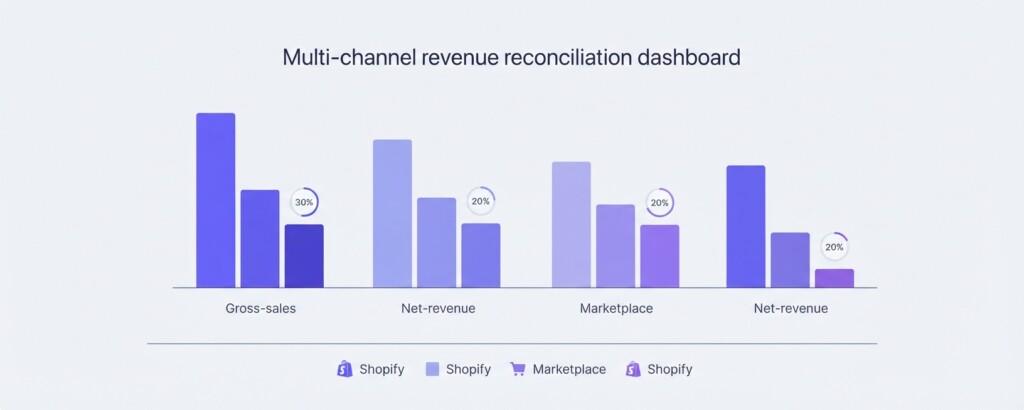
This consolidated view immediately shows that while Shopify generates the highest gross sales, the proportion of revenue retained after deductions varies significantly by channel. TikTok Shop in this example retains only 55% of GMV as net revenue — largely because platform-funded vouchers are deducted and not always clearly separated from merchant discounts in seller dashboards.
From Net Revenue to Gross Profit: The Next Step
Once you have a clean net revenue figure, you are ready to calculate gross profit. This requires subtracting the cost of goods sold (COGS) from net revenue. Shopify does not automatically track COGS unless you have entered product costs against each variant — a step that many store owners skip.
If you have entered product costs in Shopify, the Profit reports under Analytics → Reports (filtered under Profit or via the Finance Summary gross profit card) will calculate gross profit per product and per order. If your costs are not entered in Shopify, you will need to apply COGS manually, either from your accounting system or from a cost-per-unit spreadsheet.
Gross Profit = Net Revenue − Cost of Goods Sold. Gross Profit Margin % = (Gross Profit ÷ Net Revenue) × 100. These are the two numbers every e-commerce operator should know for each channel and each major product category, not just for the business overall.
Using a Tool to Automate Cross-Channel Reconciliation
Doing this reconciliation manually each month is feasible for small operations running one or two channels. As channel count increases and order volumes grow, manual CSV exports become error-prone and time-consuming. At that point, the most practical solution is a reporting layer that pulls data from each channel’s API, normalises the revenue definitions, and produces a consistent monthly P&L across all channels.
BrizoMarket is built specifically for this use case — connecting to Shopify, Shopee, Lazada, TikTok Shop, and other channels to reconcile gross sales, discounts, fees, and refunds into a single unified revenue and profitability view. Rather than exporting and cross-referencing four separate CSVs, operators get a consolidated finance report that applies consistent definitions across every channel, updated automatically.
Monthly Revenue Reconciliation Checklist
- Export Shopify Sales / Finances Report for the full calendar month — confirm date range covers day 1 to last day.
- Sum Gross Sales, Discounts, Returns, Net Sales, Shipping, and Taxes columns.
- Apply reconciliation formula: Gross Sales − Discounts − Returns = Net Sales.
- Decide whether to include shipping revenue in operating revenue and document your decision.
- Exclude collected sales taxes from your revenue figure as they are liabilities.
- Cross-check collections against the Payments Report settlement totals.
- Identify and document any large or unusual refunds separately.
- Repeat the process for each additional channel (Shopee, Lazada, TikTok Shop) using channel-specific seller reports.
- Consolidate all channels into a single monthly revenue table.
- Apply COGS to calculate gross profit per channel.
- Flag any channels where net revenue retention is materially lower than expected and investigate voucher or commission structures.
Key Takeaways
The Shopify dashboard total sales figure is a composite summary, not your net product revenue. Moving from gross sales to clean net revenue requires deducting discounts and returns, and keeping pass-through taxes and non-product fees properly segregated — all of which are available in Shopify’s Finance Reports with a structured export. For multi-channel businesses, the same logic applies to every platform, but each has its own structure for reporting deductions, commissions, and voucher funding.
Building a consistent monthly reconciliation process — even a simple one in a spreadsheet — gives you a revenue number you can actually trust. From there, gross profit and contribution margin analysis become straightforward, and you gain the ability to compare channels on a like-for-like basis rather than comparing incompatible headline GMV figures.
Reconcile All Your Sales Channels in One Place
BrizoMarket connects your Shopify, Shopee, Lazada, and TikTok Shop data into a single profitability dashboard — so you can stop reconciling CSVs manually and start making decisions based on accurate, channel-level revenue and margin data every month.