How to Set Up Shopify Custom Reports to Track Average Order Value Trends by Customer Segment
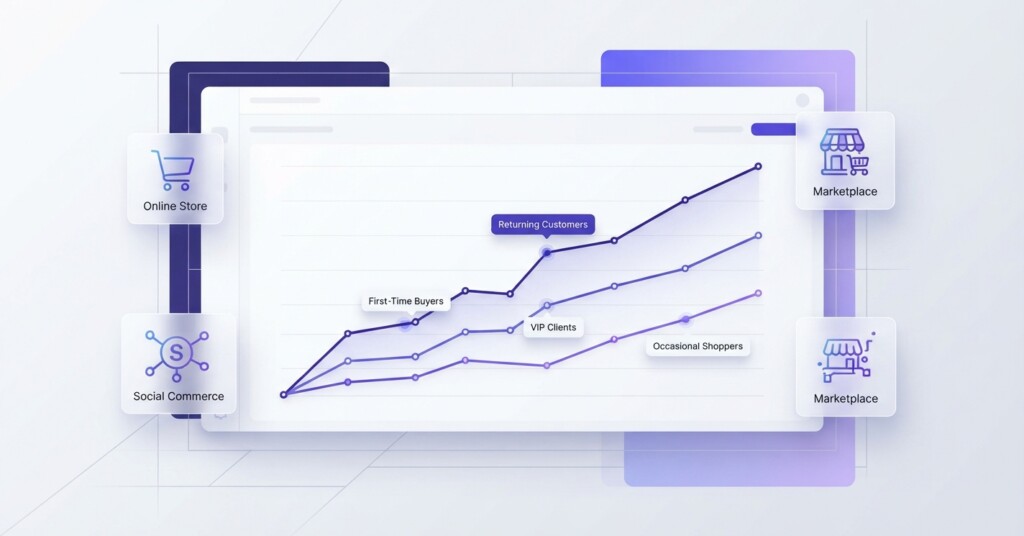
Average order value (AOV) is one of the most actionable metrics in ecommerce. Unlike traffic or conversion rate, AOV sits directly at the intersection of revenue and profitability — a small lift in AOV across thousands of orders compounds quickly into meaningful margin improvement. Yet most Shopify store owners look at AOV as a single blended number, which hides far more than it reveals.
When you break AOV down by customer segment — first-time buyers versus returning customers, loyalty members versus non-members, customers acquired through TikTok Shop versus those who found you on Shopee or your Shopify storefront — the picture changes dramatically. Segments that look profitable at the blended level often mask underperforming cohorts that drag your margins down.
This article walks you through how to set up Shopify custom reports to track AOV trends by customer segment, how to interpret what you find, and how to act on the data to improve contribution margin across your channels.
Why Blended AOV Misleads You
Suppose your Shopify store shows an AOV of $68 for the past 30 days. That single figure tells you very little. Buried inside it might be a first-time buyer AOV of $44 and a returning customer AOV of $112. If you are running paid acquisition campaigns on TikTok Shop at a high cost-per-acquisition, and those customers are mostly one-time buyers at $44, your unit economics may be deeply negative — even if the blended $68 looks acceptable.
Segmented AOV analysis is not a reporting exercise — it is a profitability exercise. When you understand which customer segments generate high-value orders, you can allocate marketing spend, structure promotions, and set free-shipping thresholds with precision instead of guesswork.
The same logic applies across channels. Customers who discover your brand through Lazada often have different purchase behaviour than those who reach your Shopify store through organic search or email. Treating them as a single audience leads to misaligned pricing, bundling, and upsell strategies.
Understanding Shopify’s Reporting Tiers Before You Build
Historically, Shopify restricted custom report creation strictly to Advanced and Shopify Plus plans. Under Shopify’s modern analytics engine, however, merchants across all subscription plans—including Basic Shopify—can create, customize, and save custom data explorations using custom metrics, dimensions, and filters. Higher-tier plans primarily add advanced capabilities like predicted customer spend tiers and multi-store reporting.
While merchants on all plans can build custom explorations natively in Shopify, native Shopify Analytics only tracks orders processed through Shopify and connected Shopify sales channels. External marketplace orders from Lazada, Shopee, or TikTok Shop will not appear unless synced into Shopify via third-party integrations or unified through a dedicated multi-channel analytics tool.
For the steps below, you can build your custom report using Shopify’s analytics interface under Analytics > Reports by starting a new data exploration or customizing an existing sales report.
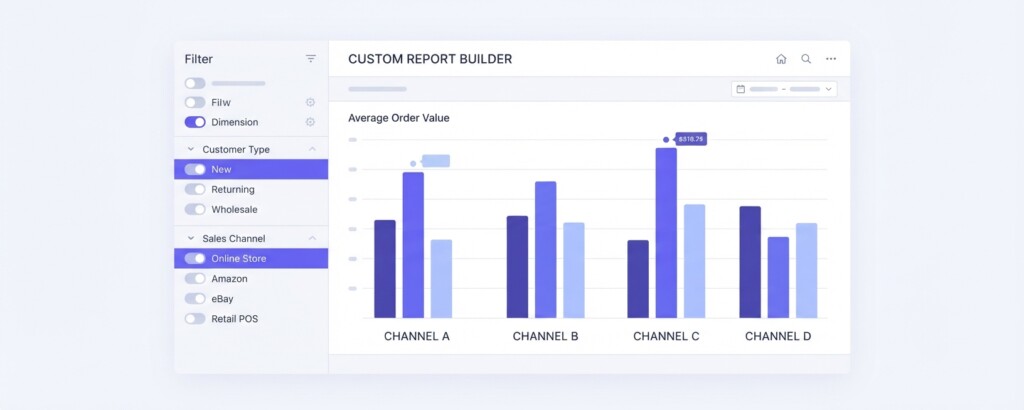
Step-by-Step: Building a Segmented AOV Report in Shopify
- Navigate to Analytics > Reports in your Shopify admin, then click ‘New exploration’ (or open an existing Sales report and click to customize).
- Select ‘Sales’ as your data subject to gain access to order-level metrics including revenue, order count, and customer attributes.
- In the dimensions section, add ‘Customer type’ (first-time vs returning). This provides the primary native customer segmentation cut.
- Add ‘Sales channel’ as an additional dimension. This lets you view AOV by customer type within each channel — Shopify online store, Shop app, POS, and connected integrations.
- Under metrics, select ‘Orders’, ‘Net sales’, and ‘Average order value’. Shopify calculates AOV automatically as net sales divided by order count.
- Apply a date range — start with the last 90 days to establish a meaningful baseline, then apply a comparison against the prior 90-day period to identify trends.
- Save the exploration with a clear name such as ‘AOV by Customer Type and Channel — 90 Days’ so your team can access it directly from your custom reports list.
- Because Shopify Analytics does not include native automated report scheduling via email, set a recurring calendar reminder to review your numbers regularly, or use Shopify Flow or a dedicated reporting app if automated delivery is needed.
Once the report is live, you will see something like the table below. The numbers are illustrative but represent the kind of variance that commonly appears when businesses first segment their AOV data properly.
| Channel | Customer Type | Orders (90d) | Net Sales | AOV |
|---|---|---|---|---|
| Shopify Online Store | First-time | 1,240 | $54,560 | $44 |
| Shopify Online Store | Returning | 890 | $99,680 | $112 |
| TikTok Shop | First-time | 2,100 | $75,600 | $36 |
| TikTok Shop | Returning | 310 | $26,040 | $84 |
| Lazada | First-time | 980 | $39,200 | $40 |
| Lazada | Returning | 220 | $18,700 | $85 |
| Shopee | First-time | 1,450 | $52,200 | $36 |
| Shopee | Returning | 380 | $34,200 | $90 |
Several things stand out immediately. First-time buyers on TikTok Shop and Shopee have the lowest AOV at $36. Returning customers on the Shopify store generate more than triple the AOV of first-time TikTok Shop buyers. If you are paying $12–$18 in customer acquisition cost per TikTok first-time buyer, the economics of that channel depend almost entirely on whether those customers return — and currently only 13% of TikTok buyers are coming back.
Adding Customer Tags to Refine Your Segments
The native ‘first-time vs returning’ split is useful but limited. To track loyalty programme members, VIP customers, or subscribers separately, you need to use customer tags. These can be applied manually, through Shopify Flow automations, or via your email/loyalty platform.
Once customers are tagged — for example with ‘loyalty-member’, ‘wholesale’, or ‘subscription’ — you can filter your custom report by customer tag. Go into your saved report, click ‘Filter’, and add a filter for ‘Customer tags contains loyalty-member’. Save this as a separate report variant so you can compare tagged segments against the untagged general population.
A typical finding: loyalty programme members often show 40–70% higher AOV than non-members, not because the programme itself drives the behaviour, but because customers who choose to join loyalty programmes are self-selecting as engaged, high-intent buyers. Understanding this distinction matters when you are deciding how much to invest in growing loyalty membership.
Calculating the Contribution Margin Impact of AOV Differences
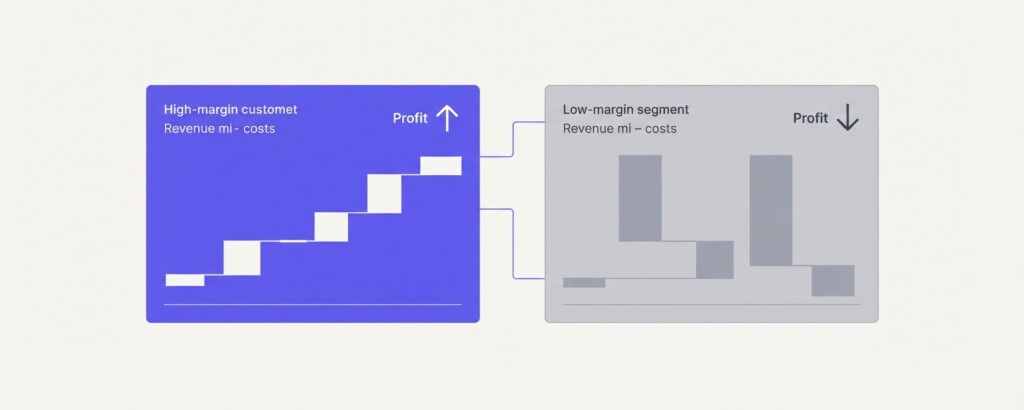
AOV only tells you part of the story. A channel with high AOV but also high platform fees, fulfilment costs, and return rates can easily underperform a channel with lower AOV but lower cost-to-serve. The right metric to optimise is contribution margin per order, not AOV alone.
| Average Order Value (Shopify returning customer) | $112.00 |
| Less: Cost of Goods (45% of sales) | -$50.40 |
| Less: Payment processing fee (2.4%) | -$2.69 |
| Less: Shipping & fulfilment cost per order | -$8.50 |
| Less: Platform/channel fee (0% — own store) | $0.00 |
| Less: Allocated marketing spend per order | -$6.00 |
| Contribution Margin per Order | $44.41 |
| Average Order Value (TikTok Shop first-time buyer) | $36.00 |
| Less: Cost of Goods (45% of sales) | -$16.20 |
| Less: Payment processing fee (included in platform) | $0.00 |
| Less: TikTok Shop platform commission (approx 5–8%) | -$2.52 |
| Less: Shipping & fulfilment cost per order | -$8.50 |
| Less: Allocated affiliate/creator spend per order | -$9.00 |
| Contribution Margin per Order | -$0.22 |
This is the uncomfortable reality that emerges when you pair AOV segmentation with cost data. First-time TikTok Shop buyers at $36 AOV are essentially break-even or marginally loss-making on the first order. That is only sustainable if they return — and the data above shows only 13% do. Improving either AOV or repeat purchase rate (or both) is necessary to make the channel viable.
Using AOV Trends Over Time to Identify Strategic Shifts
A single AOV snapshot is useful. AOV tracked as a trend over 6–12 months is much more powerful. In your Shopify custom report, change the date grouping to ‘Month’ and look at how AOV moves across segments over time. Common patterns include:
- Seasonal AOV spikes during peak periods (November–December) that inflate your annual averages and mask weaker months.
- Gradual AOV decline in a segment that corresponds with a change in your product mix, pricing, or promotional strategy.
- A rising AOV trend among returning customers that confirms your upsell or bundle strategy is working.
- AOV compression on marketplace channels (Lazada, Shopee) over time as competition intensifies and customers become more price-sensitive.
- AOV divergence between loyalty members and non-members that widens over time as loyalty members become more deeply engaged.
When you spot a downward AOV trend in a specific segment, investigate before responding. Declining AOV among returning customers could mean they are buying smaller, more frequent orders — which might actually be positive for customer lifetime value. Or it could mean they are substituting your higher-margin products for your entry-level products, which is a product strategy problem worth addressing.
Practical Actions to Raise AOV in Underperforming Segments
Once your reports identify which segments have low AOV, you have a concrete target to work against. The tactics worth testing depend on the segment and channel:
| Segment | AOV Issue | Recommended Tactic |
|---|---|---|
| TikTok Shop first-time buyers | Low AOV ($36) | Bundle hero product with complementary item; set minimum spend threshold for free shipping at $55 |
| Shopee first-time buyers | Low AOV ($36) | Use Shopee bundle deals to increase basket size; test quantity discount mechanics |
| Shopify first-time buyers | Moderate AOV ($44) | Add cart upsell widget recommending frequently bought-together products |
| Lazada returning customers | Moderate AOV ($85) | Launch tiered loyalty incentive at $100+ to push orders over threshold |
| All channels | Inconsistent AOV | Review free-shipping threshold — if set below current AOV, raise it incrementally and monitor conversion impact |
When Shopify’s Native Reports Are Not Enough
Shopify’s custom report builder works well for analysing data within your Shopify store. It becomes limited when you need to combine Shopify data with Lazada, Shopee, and TikTok Shop data in a single view — which is exactly what multi-channel operators need to make channel-level profitability decisions.
For businesses operating across multiple channels, a consolidated analytics layer that pulls data from each platform and normalises it against a common cost structure becomes necessary. BrizoMarket is built for this use case — aggregating sales, orders, and margin data across Shopify, Shopee, Lazada, and TikTok Shop so you can run the kind of segmented AOV and contribution margin analysis described in this article without manually reconciling spreadsheets.
Key Takeaways and Next Steps
Tracking blended AOV is a starting point, not an analytical conclusion. The real value comes from segmenting by customer type, channel, and loyalty status — and then connecting those AOV figures to your actual cost structure to understand which segments are generating profitable revenue and which are not.
- Build your first segmented AOV report in Shopify Analytics this week using the step-by-step process above.
- Add customer tags for loyalty members, subscribers, or wholesale buyers if you have not already done so.
- Calculate contribution margin per order for your top two or three segments — not just AOV.
- Set a 90-day trend review cadence so you catch AOV shifts before they become margin problems.
- If you are running across multiple marketplaces, identify whether your channel-level AOV data is currently consolidated or siloed — and plan to fix it.
Analyse AOV and Profitability Across All Your Sales Channels
BrizoMarket helps multi-channel ecommerce businesses consolidate sales data from Shopify, Shopee, Lazada, and TikTok Shop — so you can track AOV trends, contribution margin, and channel performance in one place.